42 Bedrock SMxx operating manual © Bedrock Audio BV, 2019
43
• Start the RT60 module; select IN (Interrupted Noise) in the settings screen.
• Go to the main measurement screen and press “arm.”
• To trigger the measurement, shut off the noise source.
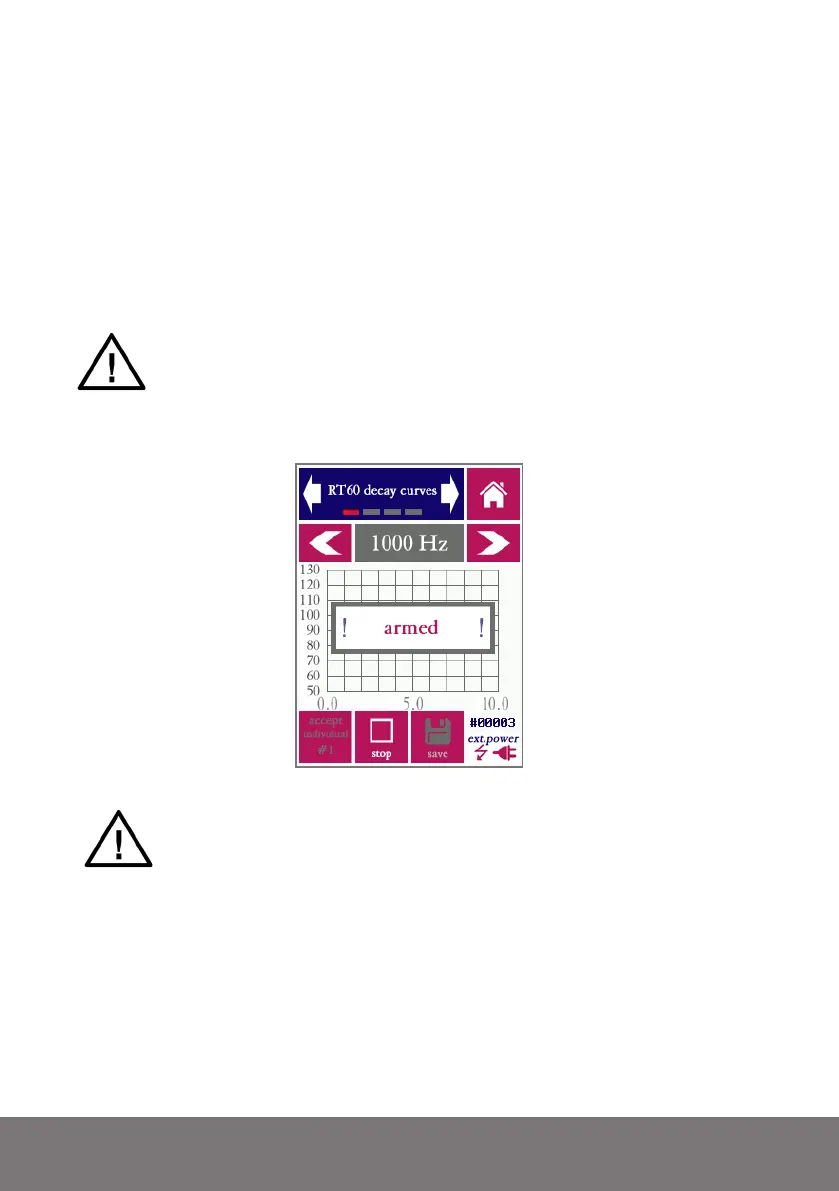
Once the device has been armed, it will start measuring the ambient noise field. At this
stage the device is continuously sampling the audio, but the RT60 measurement itself has
not yet been started. The device is merely detecting the moment a noise source has been
shut off (in case the interrupted noise method is being used) or the occurence of an impul-
sive sound (in case the impulse method is used).
Make sure to select the correct method in the settings screen of the module (IN
for interrupted noise, IR for impulse-response based measurements (e.g. with a
starter gun). The description of the module in this section of the manual will be
based on the interrupted noise method. We will indicate the differences for the
IR method at the end of the section
RT60 measurement screen, armed for measurement, but before a measurement has started
Make sure that the external sound source is always switched on BEFORE you
arm the SMxx for a measurement by pressing “arm”
Once the beginning of the energy decay curve has been detected, the device starts measur-
ing. By definition, no RT60 results can be calculated until the measurement and analysis
are completely finished. While the device is acquiring measuring data, the following screen
is displayed:



 To Next Page