58 Bedrock SMxx operating manual © Bedrock Audio BV, 2019
59
We strongly recommend that you use a stylus for calibration, to obtain cali-
bration settings that are as accurate as possible. Note that false responses
during the calibration procedure (tapping completely in the wrong place)
may render the touch screen unusable.
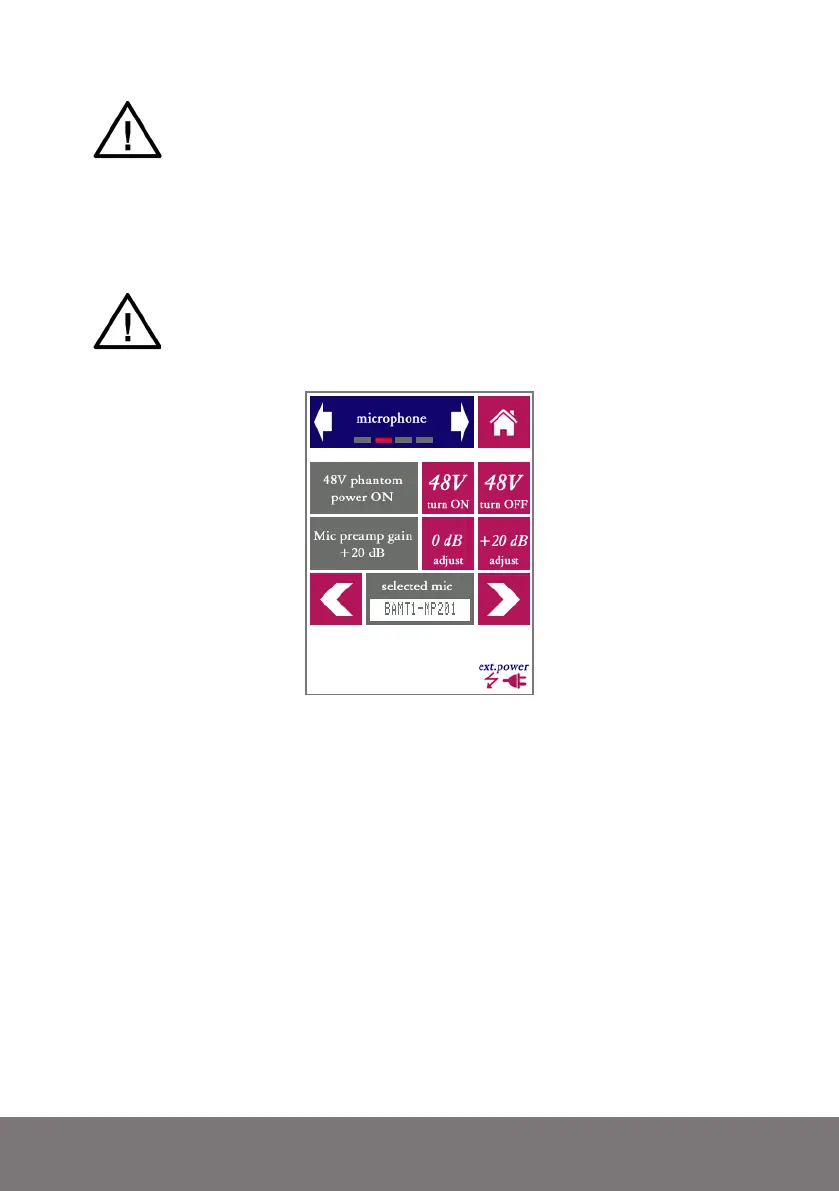
From the “microphone” screen, the 48V phantom power can be switched on and off. If the
SM50 is used with its own (bundled) microphone, phantom power should be switched on.
Turn the phantom power off when measuring (line) levels from external electronic devices.
IMPORTANT: connecting equipment not designed for 48V phantom
power to the SM50 XLR connector (with phantom power switched on) will
permanently damage the connected device. Use this setting with discretion.
When in doubt, turn the phantom power off.
The microphone and preamp settings: turning phantom power on/off, selecting the preamp
gain (measuring range), selecting the microphone type, and selecting free field or diffuse field
measurements.
The internal microphone amplifier of the SMxx features an adjustable gain setting. Adjust-
ment of the pre-amp gain is rarely needed, since the system has a wide (linear) dynamic
range. However, if you wish to connect an external signal source which operates at much
higher signal levels than the standard microphone, you can choose adjust the internal pre-
amp gain, by choosing between 0 dB and +20 dB (default). Note that recalibration may
be needed when changing the pre-amp gain, even if the device adjusts the displayed level
range automatically. With the standard microphone, this setting should be +20 dB.
Different models of the SMxx ship with different microphone/preamp types. Each mi-
crophone model has its specific underrange/overload limits in each of the two measuring
ranges (0 and +20 dB). By selecting the correct type of microphone here, the parameters
of the device are set to the right values.



 To Next Page