EN 30
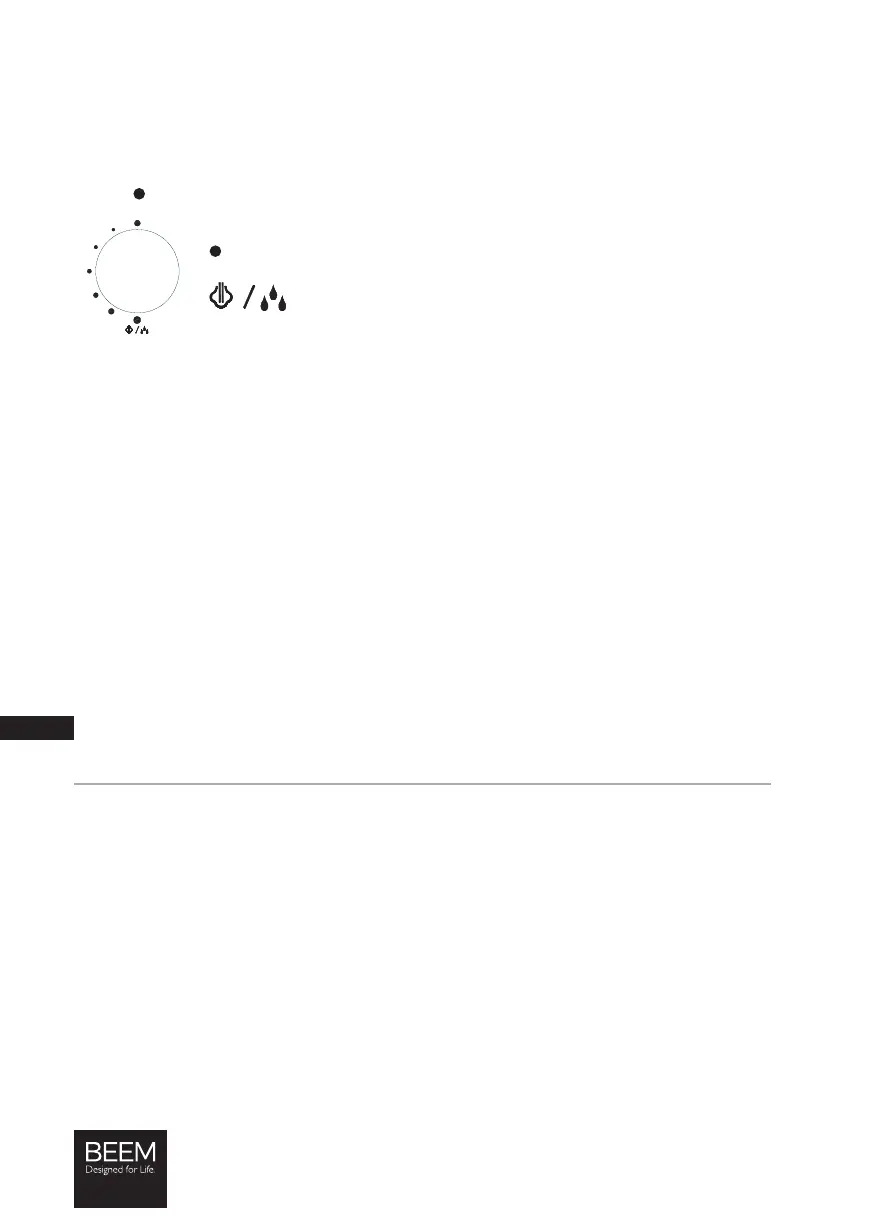
Steam Power Control
IMPORTANT! When you switch on the device, always make sure that the steam power control
is in the
position!
The steam power control (1) is used to regulate the emission of steam:
In this position no steam is emitted.
In this position the maximum amount of steam is emitted.
CAUTION! Gradually increase the amount of steam emitted.
Never switch directly to the maximum amount.
Hotplate
On the hotplate (i) you can preheat your cups or keep espresso / coffee that you have made
warm. As soon as the device heats up, the hotplate is automatically heated at the same time.
Inserting / Removing the Drip Tray
The device is supplied with a drip tray (e) because espresso / coffee may drip from the
portafi lter (d) after the cup has been removed.
1. Insert the drip tray into the bottom of the device. Insert it at a slight angle so that the drip
tray can lock in place. Make sure that it fi ts correctly in the device.
2. Place the storage plate (f) on the drip tray.
3. To remove the drip tray, tilt it forwards slightly and carefully pull it out of the device.
Filling the Water Tank
PLEASE NOTE!
• Do not pour milk or other liquids into the water tank. Only ever use water!
1. Take the water tank (h) off the device by pulling it upwards.
2. Open the water tank lid (Picture A).
3. Pour water into the water tank. Make sure that you fi ll it at least up to the MIN marking
and no higher than the MAX marking.
4. Close the water tank lid.
5. Insert the water tank into the device by sliding it into the device from above. Make sure that
the locking lugs of the water tank sit in the recesses which are provided for them on the
device.






 To Next Page