What to do if
No Connection to the Titration Unit
Titrator
Error No. 031
Error
The device cannot communicate with the titration unit.
Probably the titration unit is not connected to the S 5, or
it is not switched on.
As soon as the device is switched on, it checks if it can
communicate with the titration unit. So if the titration unit
is off, the error message will appear right then.
If the titration unit was not corrctly connected or if it
was not switched on:
Switch the S 5 off.
Check if the connection cable is correctly connected to
the titration unit and to the S 5.
Switch the titration unit and the S 5 on.
Now the S 5 electronics should find the titration unit.
If the error cannot be remedied this way or if you
want to work without the titration unit:
Press the control knob.
A messge will appear saying that the device will now
switch to „No titration unit connected“ mode.
Confirm this message by pressing the control knob
again.
The device will restart with the „No titration unit con-
nected“ setting, and will come to the Start menu. You
can now
work without using the titration unit or
go into the Options / Device menu and select the
titration unit that is connected.
Heating Does Not Work
Heating
On
Error No. 010
Error
The heating is on but there is no current through the
heating elements.
Switch the device off with the MAIN SWITCH.
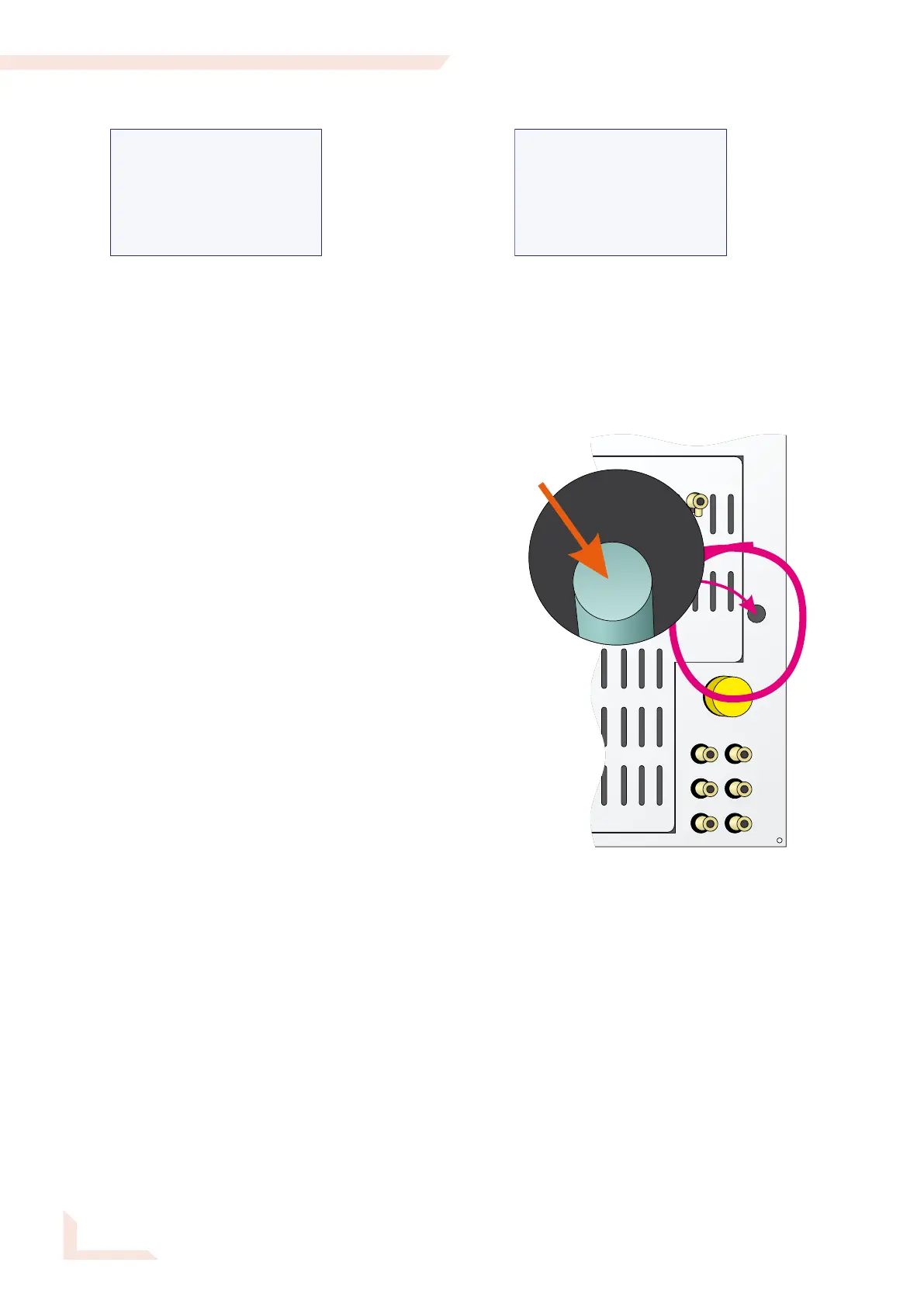
Check if the excessive-temperature circuit breaker on
the rear of the device has tripped. If so:
Wait a while for the apparatus to cool down. Then push
the protrusion of the excessive temperature circuit
breaker back in, using a pointed object.
Switch the device on again with the MAIN SWITCH.
If the error message reappears after a short time, then it
was not possible to turn the heating on. Presumably, the
triac is defective.
— Turn the apparatus immediately off and contact
the behr customer service!


 To Next Page