22
Installation EAGLE40
Release
02
08/2020
1.7 Display elements
After the supply voltage is set up, the software starts and initializes itself.
Afterwards, the device performs a self-test. During this process, various
LEDs light up.
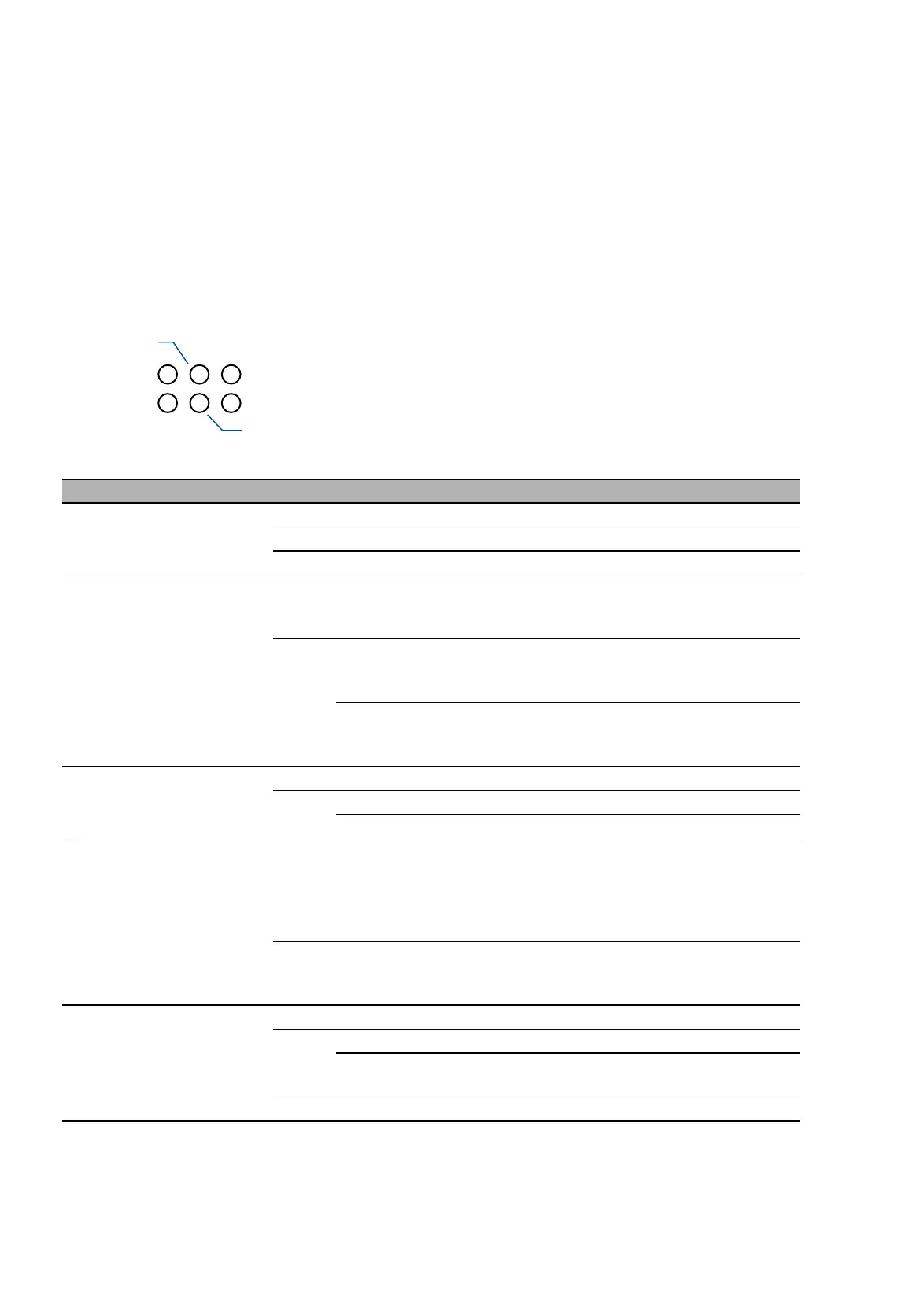
1.7.1 Device state EAGLE40-03
These LEDs provide information about conditions which affect the operation
of the whole device.
LED Display Color Activity Meaning
Power Supply voltage — None Supply voltage is too low.
Yellow Lights up The supply voltage is less than 44 V DC.
Green Lights up The supply voltage is greater than 44 V DC.
Status Device status — None The signal contact is closed. It is not
reporting any detected errors.
Device is ready for operation.
Red Lights up The signal contact is open. It is reporting a
detected error.
Device is not ready for operation.
Flashing The boot parameters used when the device
has been started differ from the boot
parameters saved. Start the device again.
Fiber Fiber connection — None No SFP connection
Yellow Lights up The fiber link has been established.
Flashing The connection is active.
VPN Virtual Private
Network
— None At least one of the following cases applies:
The VPN status display is switched off.
No VPN connection is active.
No active VPN connection is in the "up"
status.
Yellow Lights up The VPN status display is switched on, and
at least 1 VPN connection is active and in
the "up" status.
ACA/
USB
Storage medium
ACA21/22-USB
(EEC)
— None No storage medium connected
Green Lights up Storage medium is plugged.
Flashing Device writes to/reads from the storage
medium.
Yellow Lights up Storage medium is not ready for operation.
POWER
RR
ACA/USB
VPN
FIBER
STATUS



 To Next Page