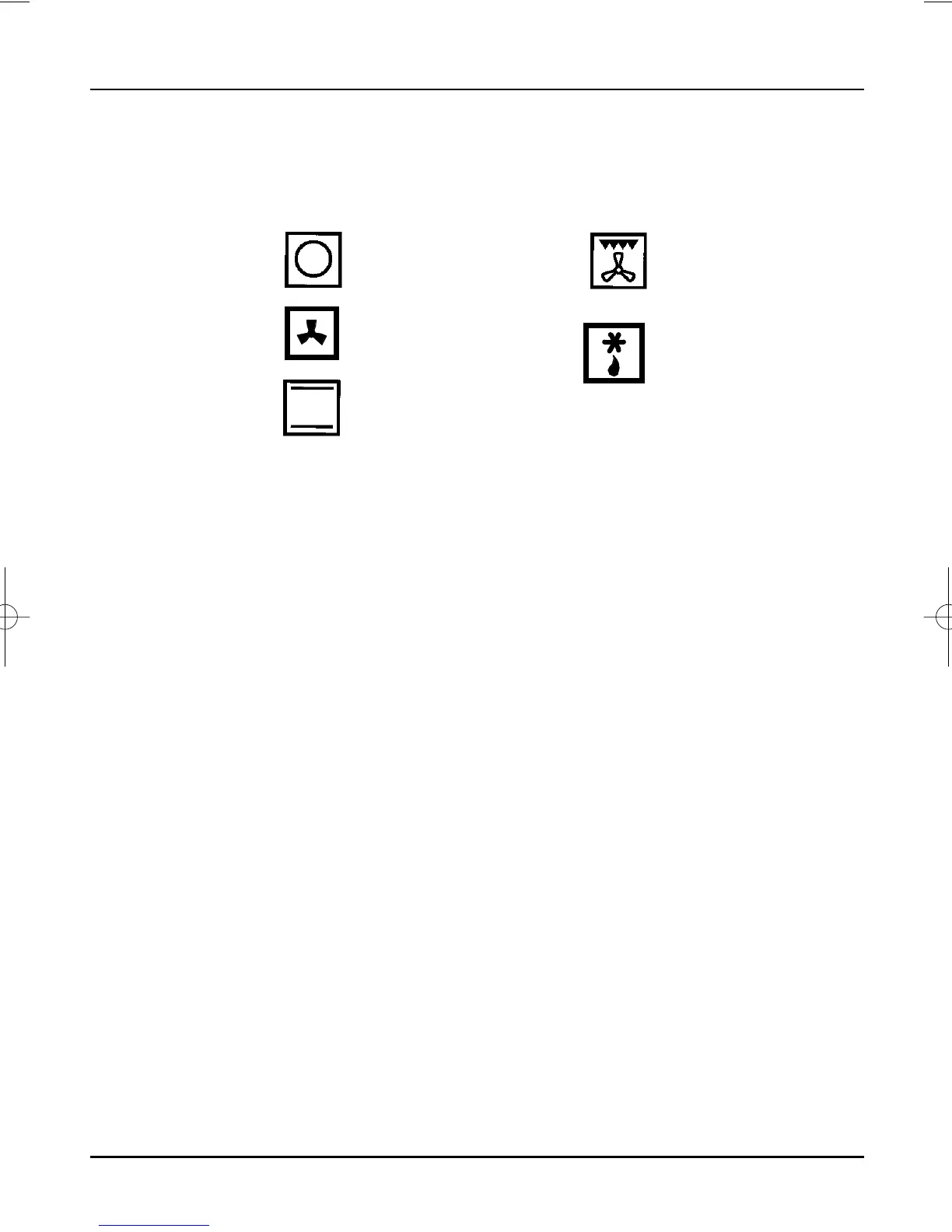
Off. With the selector in
this position the oven will
be off with the exception of
the Oven Clock display.
Fan Oven (rear element
and fan). Use the main
oven thermostat control to
set the required
temperature.
Conventional Oven
(outer top and base
elements).
Use the oven thermostat
control to set the required
temperature.
Fan grill (inner and
outer top elements and
fan). Use the main oven
thermostat control to set
the required temperature.
Fan only. The main oven
thermostat control must
be set to the off position.
Main Oven
When operated an indicator light will immediately come O n, and will
go out when the desired temperature is reached, subsequently
switching O n and Off at intervals to indicate that the correct
temperature is being maintained. The fan will operate continuously
whilst the oven is switched O n .
Note: If the indicator light does not come O n when the control is
turned, check that the timer is in Manual operation.
Oven Selector
Switch Functions
Operation
Oven Thermostat
27
Turn the multifunction selector to the required function (see below).
The oven light will illuminate. Set the main oven thermostat to the
required temperature.



 To Next Page