Oven Timer Operation
11
TO SET TIME OF DAY
Step 1 Make sure all oven controls are turned off.
Step 2 Check the electricity supply to the cooker is
turned on.
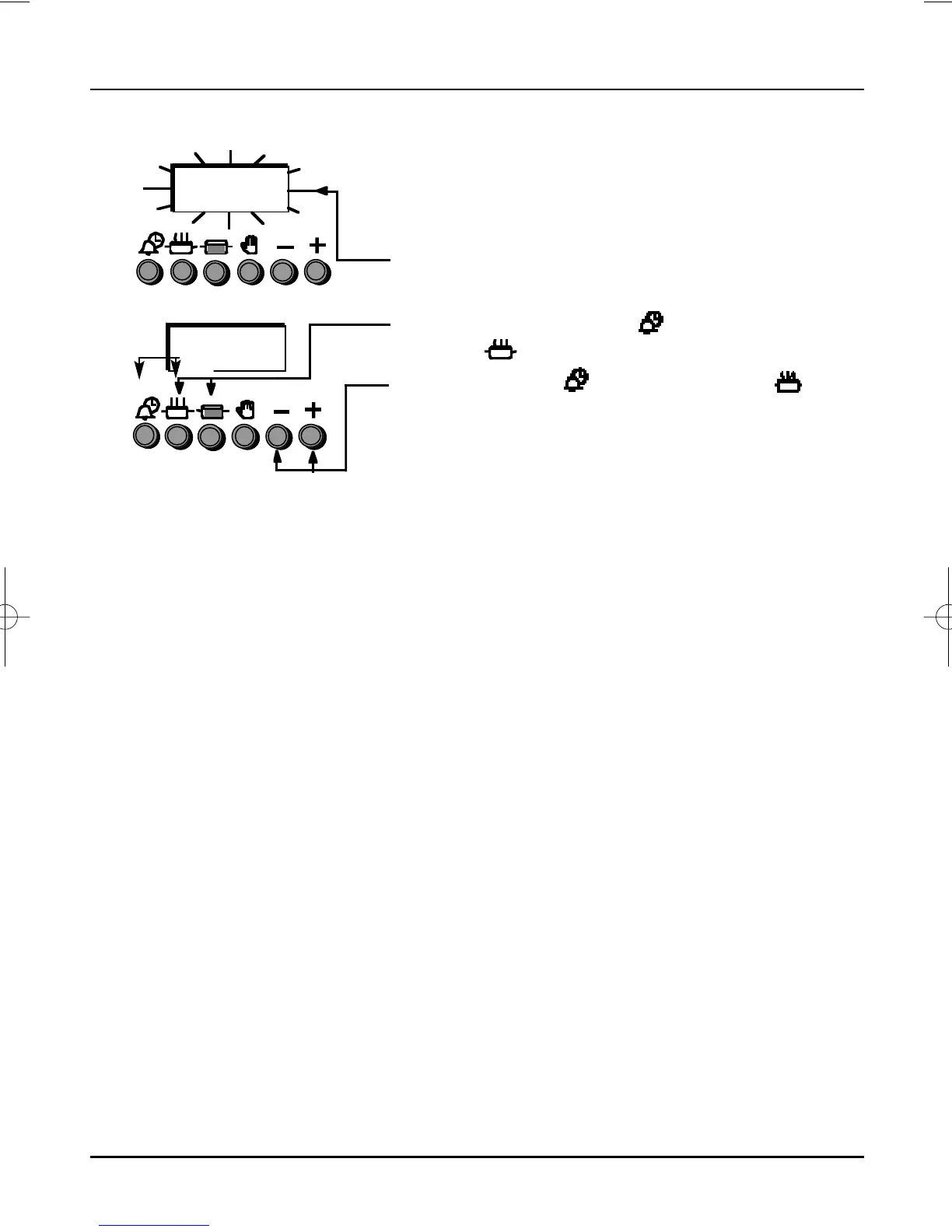
Step 3 When switched on the display will show 0.00
and AUTO symbol will be flashing
intermittently.
Step 4 Press and hold the “ ” Minute Minder &
“ ” Cook Period button together.
Step 5 With the “ ” Minute Minder & “ ”
Cook Period buttons still held in, press either
the “ + ” or “ –” buttons to set the correct time
of day.
Step 6 Release all the buttons simultaneously.
THE TIME OF DAY IS NOW SET.
To change the time of day repeat steps 4,5 & 6 above.
Note: You cannot adjust the time of day if the timer
has been set for an Auto Cooking
Programme.



 To Next Page