
 Need help?
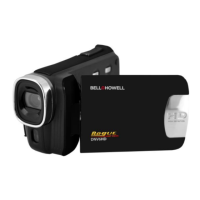
Do you have a question about the BELL+HOWELL DNV6HD and is the answer not in the manual?
Steps to install the rechargeable li-ion battery into the camcorder compartment.
Procedure for charging the camcorder's battery using a USB cable and power source.
Instructions for formatting the SD/MMC memory card for first-time use.
Guide to selecting the preferred language for the camcorder interface.
Process for configuring the camcorder's date and time settings.
Details on various icons and indicators shown on the camcorder's monitor screen.
Methods to power the camcorder on and off using the LCD panel or power button.
Explanation of how to switch between Capture, Video, Playback, and Setup modes.
Step-by-step guide for recording video clips, including zooming and stopping.
Instructions for capturing still photographs, including zooming and using the shutter.
How to set up and use the self-timer for delayed photo capture.
Options for multi-shooting modes like Single, Continuous, Panorama, and Long Exposure.
Navigating and adjusting settings within the capture mode menu.
Accessing and modifying options in the video recording mode menu.
Configuration of system-wide settings through the setup menu.
Steps to play recorded video clips, including pause, fast forward, and volume control.
Viewing captured still images, including previewing and zooming.
Options available for managing playback settings and file selection.
How to connect the camcorder to a standard TV using a Multi-USB cable.
Procedure for connecting the camcorder to an HDTV for high-definition playback.
Methods for transferring files from the camcorder to a computer via USB.
Instructions for installing the bundled driver and software from the CD-ROM.
 General
| Brand | BELL+HOWELL |
|---|---|
| Model | DNV6HD |
| Category | Camcorder |
| Language | English |

 To Next Page