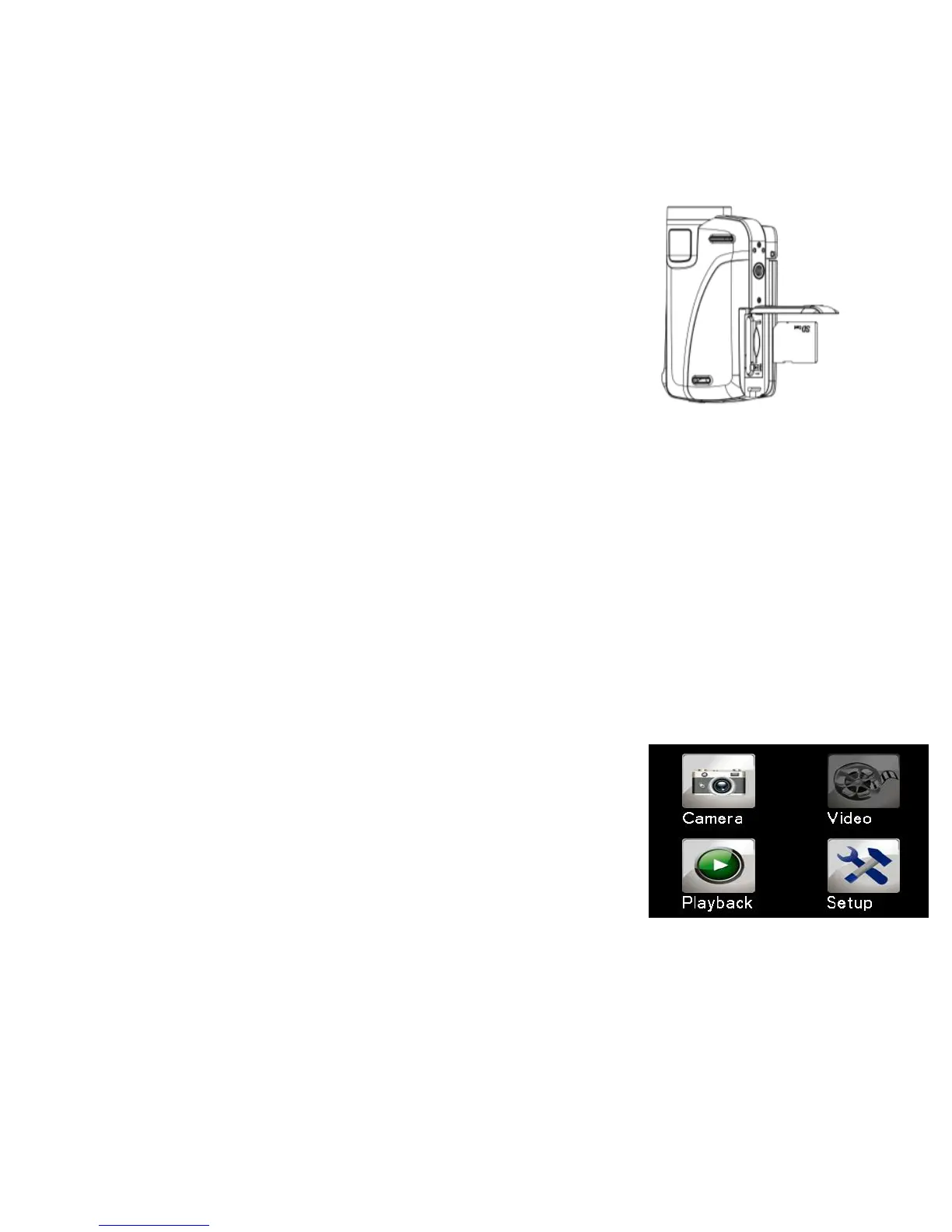
Turn off the camcorder before inserting or removing
the memory card. Be sure to orient the card
correctly. The memory card has a write protection
lock. Please format the memory card, disable the
write protection beforehand.
1. Turn off the camcorder.
2. Slide to open the battery cover and Insert the memory card as
illustrated.
3. Close the battery cover.
• To release the memory card, press the edge of the card gently.
Format the memory card
Format the memory card when first time using the camcorder. All data will
be deleted including protected files. Be sure to download the important files
to your computer before formatting.
1: Turn the power on; Press<Playback\Mode>
button until Setup Mode.
2: Press <Up>/<Down>/<Left>/<Right> button to
select [Format], and then press < OK\Menu > to
launch submenu.
3: Press <Left>/<Right> button to select [Yes] and
press < OK\Menu > button to confirm.
Alternative: Use the touch panel button to operate.


 To Next Page