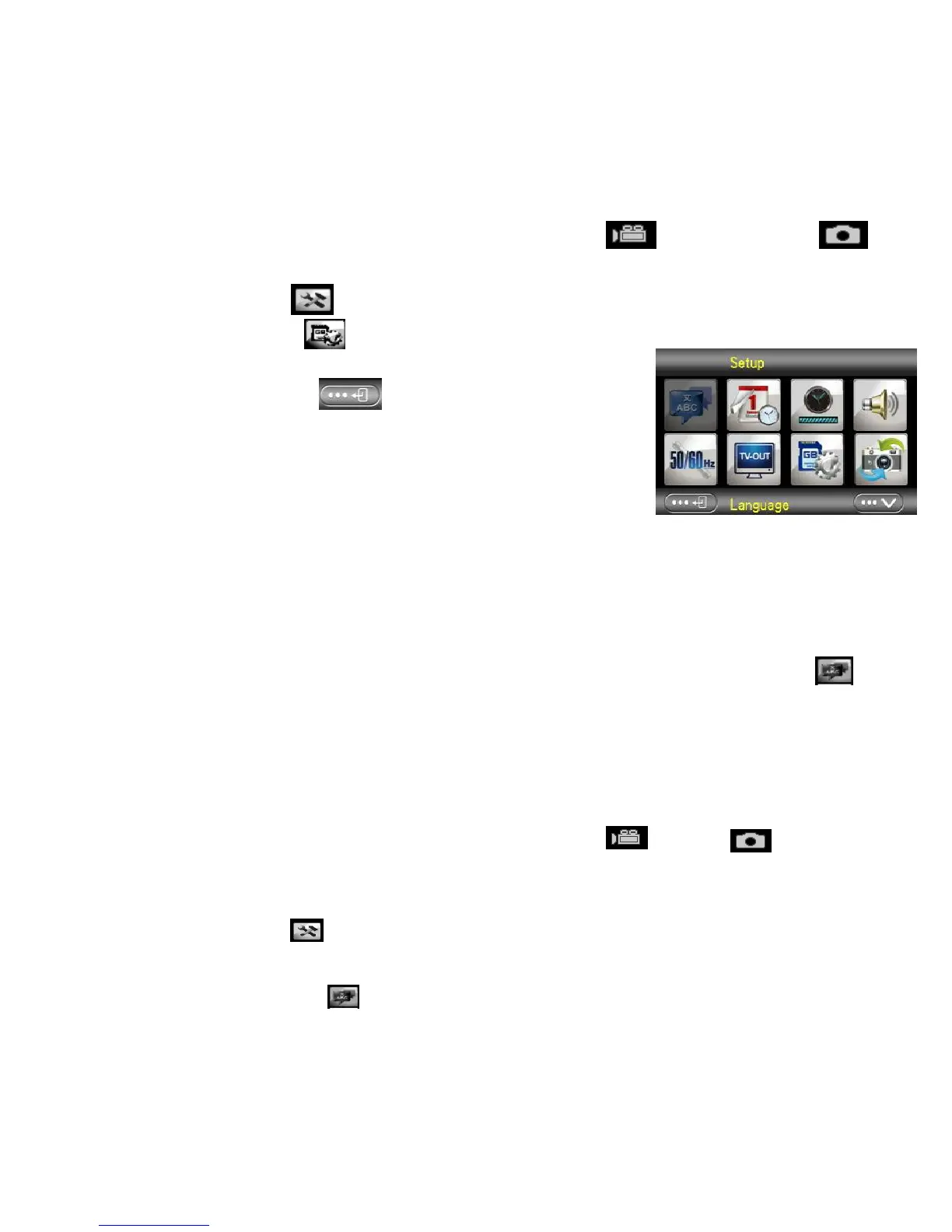
1: Touch the left upper corner of screen<DV> or <Cam>
icon to enter the Setup Mode.
2: Touch <Setup> icon to enter System Setup Menu.
3: Touch <Format> to launch the submenu.
4: Touch <Yes> to erase all data.
5: Touch <Return> button to confirm the
setting and exit.
Setting the Language
Choose a language you prefer and set the date & time for first time use.
1: Turn the power on; press <Playback\Mode> button until Setup Mode.
2: Press <Up>/<Down>/<Left>/<Right> button to select Language> ,
and then press <OK\Menu> to launch submenu.
3: Press <Left>/<Right> button to select a language your desire and press
<OK\Menu> button to confirm.
Alternative: You can also touch the screen to operate.
1: Touch on the left top corner of screen<DV> or <Cam>
icon to enter the Setup Mode.
2: Touch <Setup> icon to enter System Setup Menu.
3: Touch <Language> to launch the submenu.


 To Next Page