Need help?
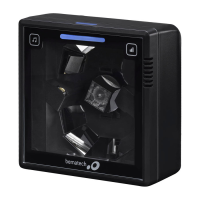
Do you have a question about the Bematech I-3200 and is the answer not in the manual?
Provides a step-by-step guide on how to reset the scanner to its factory default configuration using a specific barcode.
Explains how to enable or disable various scanner settings by scanning specific QR codes.
Allows adding a user-defined string before the scanned barcode data, including modification of the prefix.
Allows adding a user-defined string after the scanned barcode data, including modification of the suffix.
Enables identification codes for different barcode types and allows modification of these codes, including specific types like Code 128.
 General
| Interface | USB |
|---|---|
| Scanning Technology | Laser |
| Supported Barcodes | UPC-A, UPC-E, EAN-8, EAN-13, Code 39, Code 128, Interleaved 2 of 5 |
| Operating Voltage | 5VDC ± 5% |
| Decode Capability | UPC/EAN/JAN, UPC-A & UPC-E, EAN-8 & EAN-13, JAN-8 & JAN-13, ISBN/ISSN, Code 39, Code 93, Code 128, Code 39 (Full ASCII), Interleaved 2 of 5 (ITF), Addendum 2 of 5, IATA Code, MSI/Plessy, China Postal Code, Code 32, Industrial 2 of 5, Standard 2 of 5, JAP, Code 11, Telepen, Databar, GS1 DataBar |

 To Next Page