2 Installation
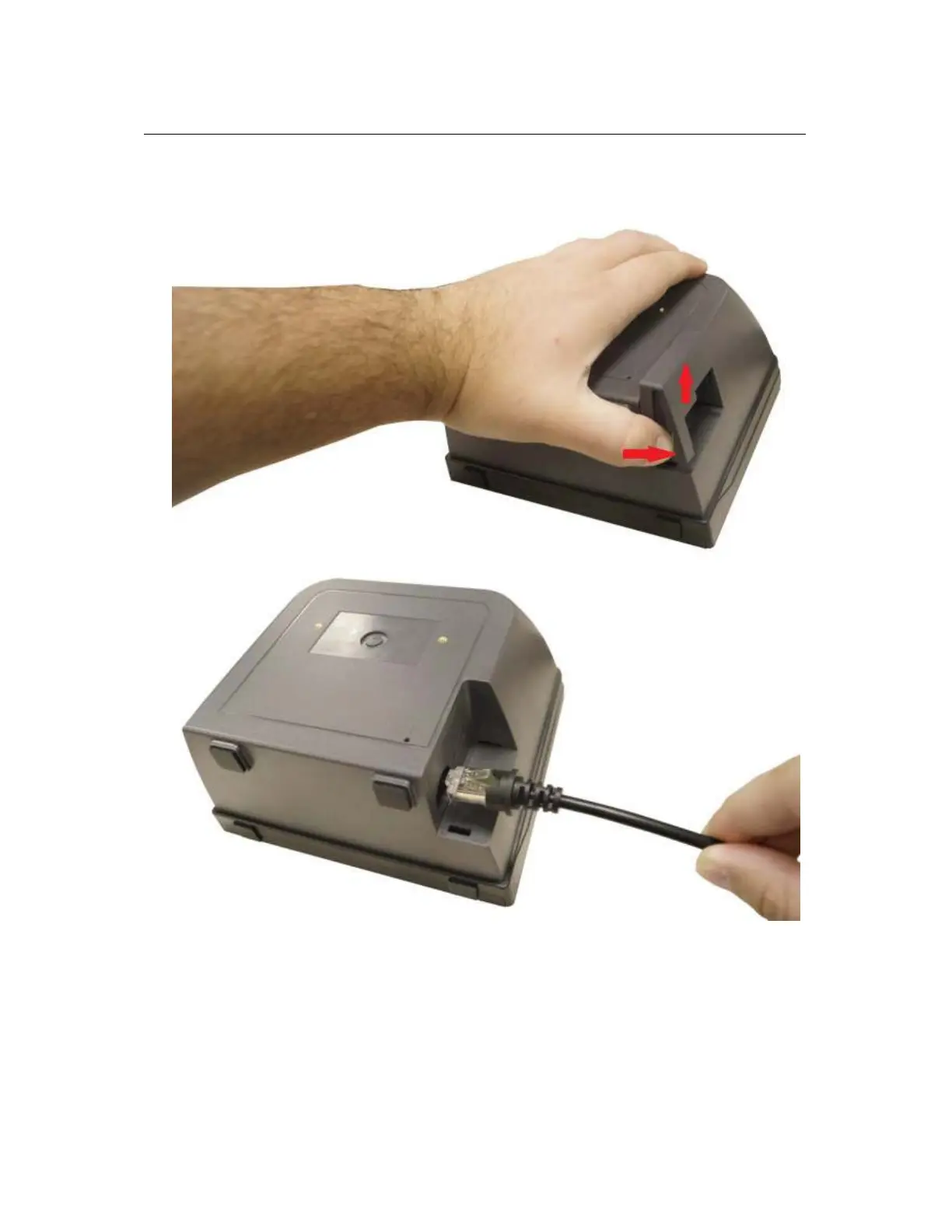
To install the product, first remove the bottom cover by squeezing and pulling it out, and
then insert the RJ45 plug of the USB cable.
And plug the cable into a host or computer through a USB port (two USB-A plugs must
be used to make the scanner work correctly). After that, there will be a long and rising
beep to show that the scanner is on.


 To Next Page