13 Problem Solving
Before calling our Customer Service (SAC) or technical support, please refer to the
troubleshooting table and check if it can be resolved by yourself, otherwise contact the SAC
at 01 516 248 0400 or one of our Authorized Service Centers.
Problem Possible cause Procedure
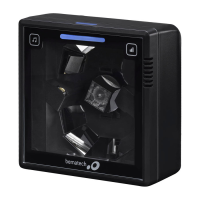
The scanner is on, the red
LEDs are lit, but it does not
scan barcodes.
USB cable disconnected. Check USB connection on the
scanner and computer.
Scan Window Dirty. Clean the window as described
in section 12.
Barcode type is not
enabled.
Enable the required type by
following the steps in section 10.
The host is disabling the
scanner.
Make sure no host configuration
is unable to scan through the
The scanner is on, but the
red LEDs are off and the
green LEDs are flashing.
The scanner has entered
standby mode.
Swipe in front of the scanning
window or press the wake-up
button on the scanner.
The scanner does not
automatically exit sleep
The place is very dark. Consider moving the scanner to
a clearer location for easier
Strange sound or no sound
after scanning.
Wrong sound setting has
been performed for the
scanner.
Press the tone button of the
scanner or use section 9 of this
manual.
Buzzer issue. Seek authorized technical
assistance to confirm the
scanner's situation and resolve


 To Next Page