10 Barcode Settings
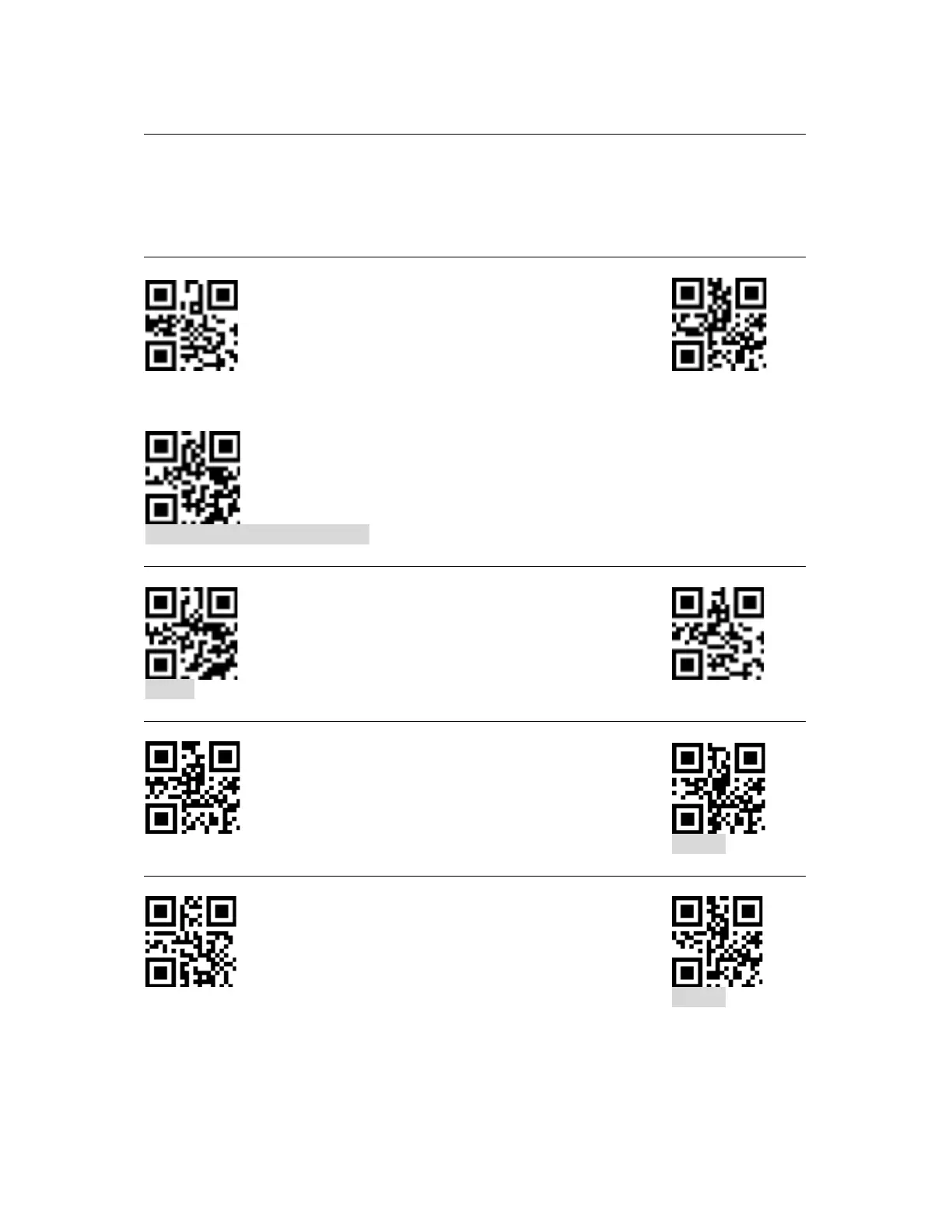
In order to set your scanner to specific defaults, scanning the codes below as needed. These
setting codes can be used to enable or disable scanning all supported barcode types. After
disable scanning all bar code types, only scanning setting codes is allowed.
All barcodes
Enable Disable
Return to factory default setting
EAN/UPC
Enable Disable
Additional codes for EAN / UPC
Enable Disable
UPC-A - Zero Before Barcode
Enable Disable


 To Next Page