7
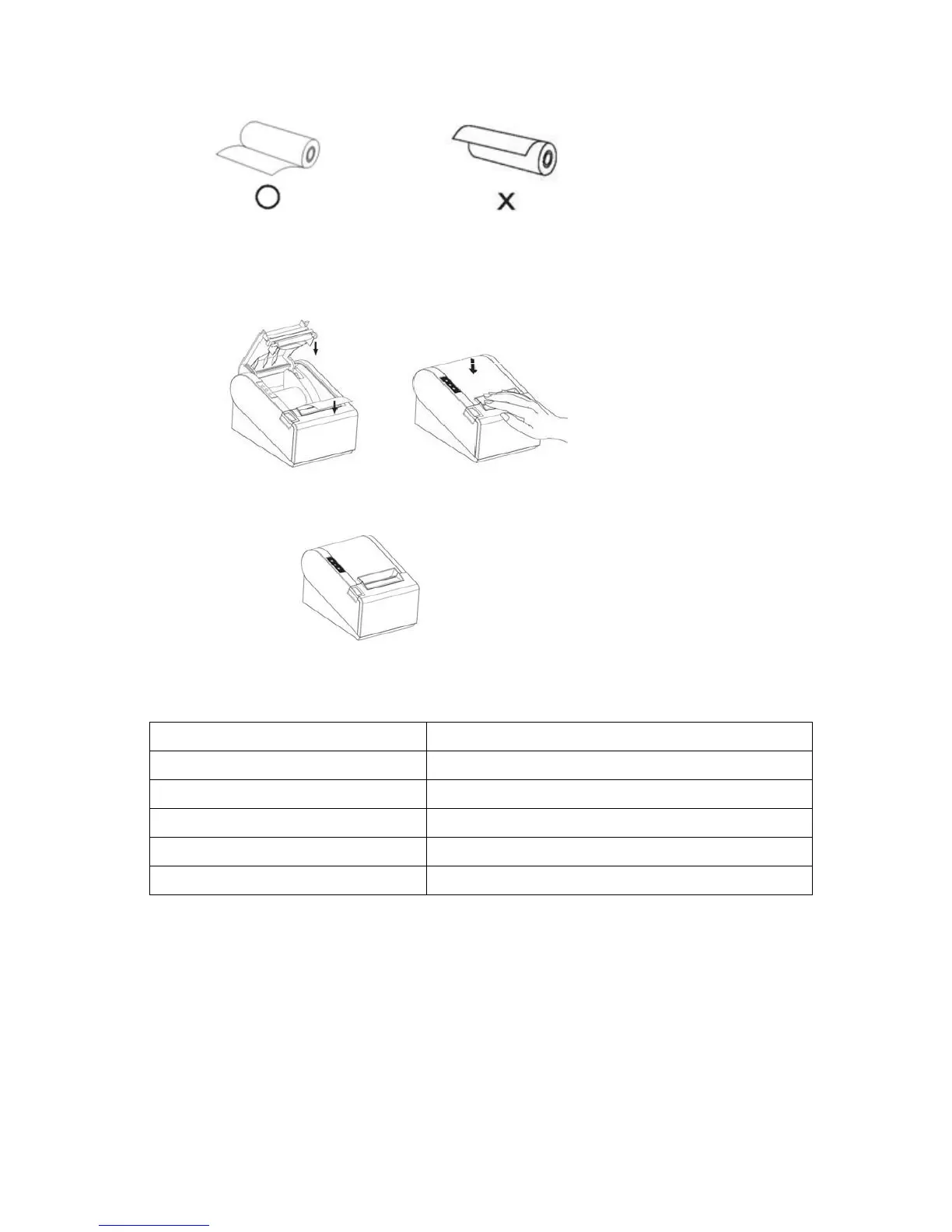
Make sure the paper roll is loaded in the correct direction.
Correct Direction Wrong Direction
3.3.4 Pull out the roll paper to the bottom front of the printer and then close
the cover as shown below.
3.3.5 Tear off extra paper roll with auto-cutter or with tear-cutter of the
printer.
Paper Roll Recommendation
Nippon Paper Industries Co.,Ltd
New Oji Paper Mfg,Co.,Ltd
Kansaki Specialty Papers,Inc.
Improper paper roll may lead to critical fault on printer head and shortened the machine life
span. Thus be sure to use the recommended paper roll. Any issue caused by using other
branded paper roll will void the warranty, even during the warranty period.
Press down to
close cover



 To Next Page