Need help?
Do you have a question about the Bematech SB1015 and is the answer not in the manual?
Safety precautions for operating the POS terminal, including electrical and environmental safety.
FCC and CE compliance statements regarding electromagnetic interference.
Key features and capabilities of the SB1015 POS terminal.
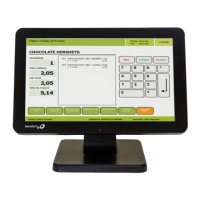
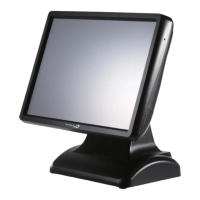
Visual representation of the SB1015 POS terminal's physical design.
Technical drawings showing the physical dimensions of the terminal.
Detailed description of the ports and connectors available on the rear panel.
Diagram and identification of various connectors on the motherboard.
List and description of motherboard headers for system expansion and configuration.
Detailed pin assignments for various motherboard headers.
Identification and function of motherboard jumpers for system configuration.
Guide to accessing and configuring BIOS settings for the POS terminal.
Instructions for installing and configuring the touch screen driver.
Step-by-step guide for installing the optional Magnetic Script Reader.
Instructions for installing the optional LCD Rear Display.
Procedure for installing a SATA Hard Disk Drive or SSD.
Steps to diagnose and resolve issues where the terminal fails to boot.
Troubleshooting automatic restarts or shutdowns of the POS terminal.
Solutions for when the touch screen is unresponsive.
Diagnosing and fixing cursor issues where it returns to a fixed point.
Steps to improve touch screen accuracy through recalibration.
Resolving issues where the cursor moves in the opposite direction of touch.
Troubleshooting a cursor stuck at the edge of the LCD screen.
Addressing issues with limited touch movement or inaccurate touch positions.
Technical specifications of the main board components.
Specifications related to the LCD panel and touch screen.
Details on the input/output ports available on the terminal.
Electrical specifications including power supply and input voltage.
Environmental operating conditions such as temperature and humidity.
Mechanical specifications including dimensions and weight.
Information on optional peripherals like customer displays and MSR.
 General
| Processor cache | 2 MB |
|---|---|
| Processor cores | 4 |
| Processor model | J1900 |
| Processor family | Intel® Celeron® |
| Processor frequency | 2 GHz |
| DC-in jack | Yes |
| Serial ports quantity | 3 |
| USB 2.0 ports quantity | 5 |
| Ethernet LAN (RJ-45) ports | 1 |
| Operating system installed | - |
| Display diagonal | 15 \ |
| Display brightness | 250 cd/m² |
| Display resolution | 1024 x 768 pixels |
| Touchscreen technology | Resistive |
| Internal memory | 8 GB |
| Memory slots type | SO-DIMM |
| Memory clock speed | 1333 MHz |
| Internal memory type | DDR3L-SDRAM |
| Power supply | 90 W |
| AC input voltage | 100-240 V |
| AC input frequency | 50 - 60 Hz |
| HDD size | 2.5 \ |
| HDD interface | SATA |
| Storage media | HDD |
| Total storage capacity | 320 GB |
| Graphics card | HD Graphics |
| Graphics card manufacturer | Intel |
| Operating temperature (T-T) | 0 - 40 °C |
| Operating relative humidity (H-H) | 8 - 80 % |
| Audio system | ALC887 |
| Ethernet LAN data rates | 10, 100, 1000 Mbit/s |
| Chassis type | All-in-One |
| Product color | Black |
 Weight and Dimensions
| Depth (with stand) | 230 mm |
|---|---|
| Width (with stand) | 364 mm |
| Height (with stand) | 326 mm |
| Weight (with stand) | 5910 g |

 To Next Page