21
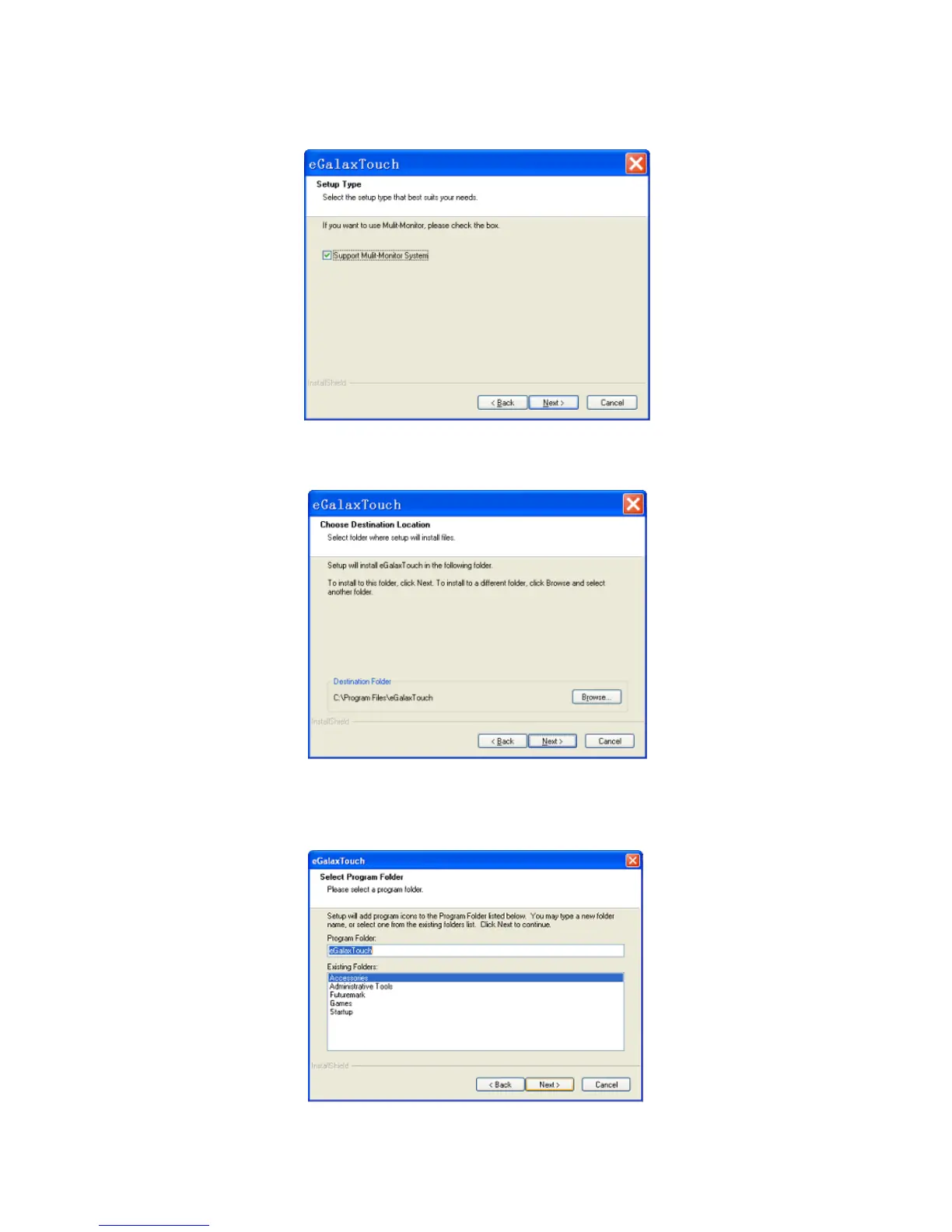
3.6.7 If there are additional touch monitors connected, please check “Support
multi- monitor system”.
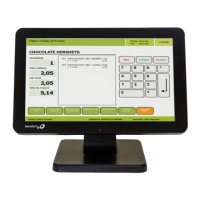
3.6.8 Select the destination location to install the touch driver. The default path is
“C:\Program Files\eGalaxtouch”. Click [Next] to continue installation.
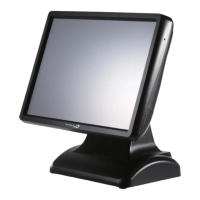
3.6.9 Select the Program Folder to install the utility. The default is “eGalaxtouch”.
Click [Next] to continue installation.


 To Next Page