11
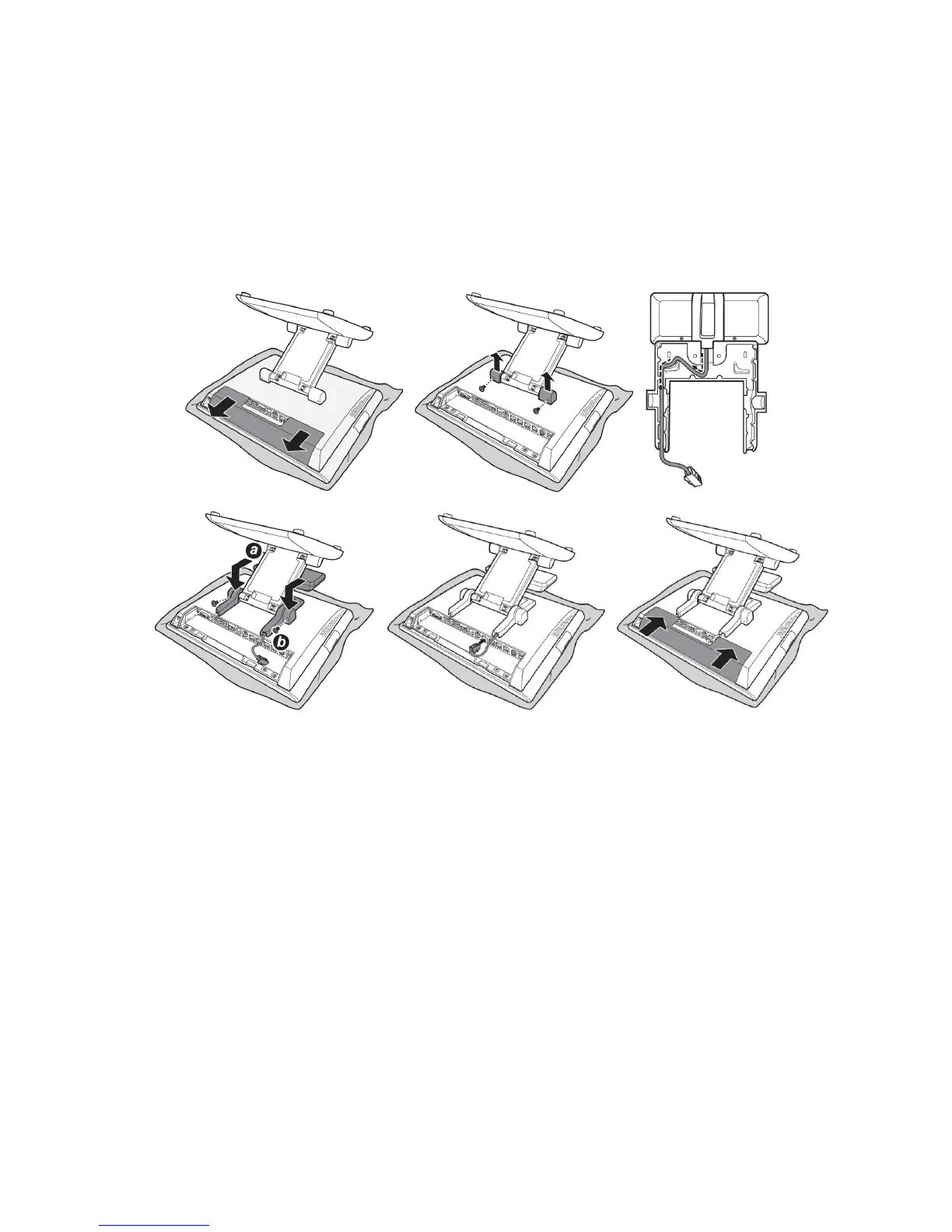
3.4 Installing Customer Display (optional)
WARNING:
Turn off the power of the Touch Terminal before making any connection or
disconnection.
To configure the COM port voltage setting to +5V, refer to mother board
connectors information and jumper settings.
3.5 Installing Second LCD (optional)
WARNING:
Turn off the power of the Touch Terminal before making any connection or
disconnection.



 To Next Page