18
4.4 Setting the LCD brightness
The SB9095 LCD screen brightness can be adjusted in the BIOS settings to suit
the operating environment and preference.
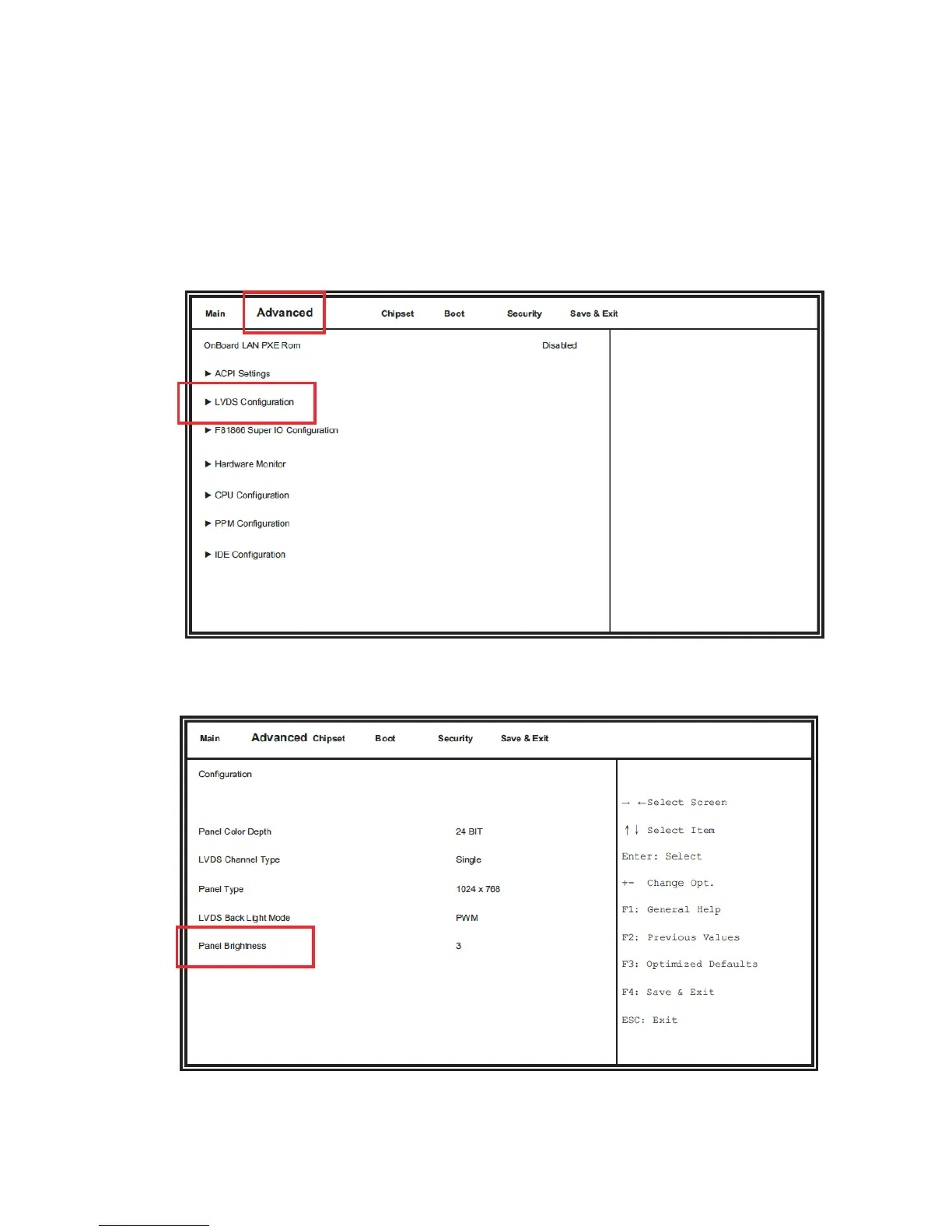
4.4.1 Press [F2] during system boot. Select [Advanced] menu and then select [LVDS
Configuration] item.
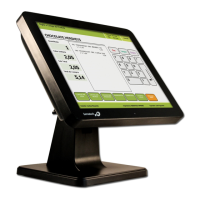
4.4.2 Select [Panel Brightness] item and use [+] and [-] keys to change the value to
adjust the brightness.
4.4.3 Press [F4] to save the settings and exit BIOS settings to reboot.



 To Next Page