103
DEUTSCHENGLISH
Applications – B.BOX Classic
Short application (intensity levels 1-10)
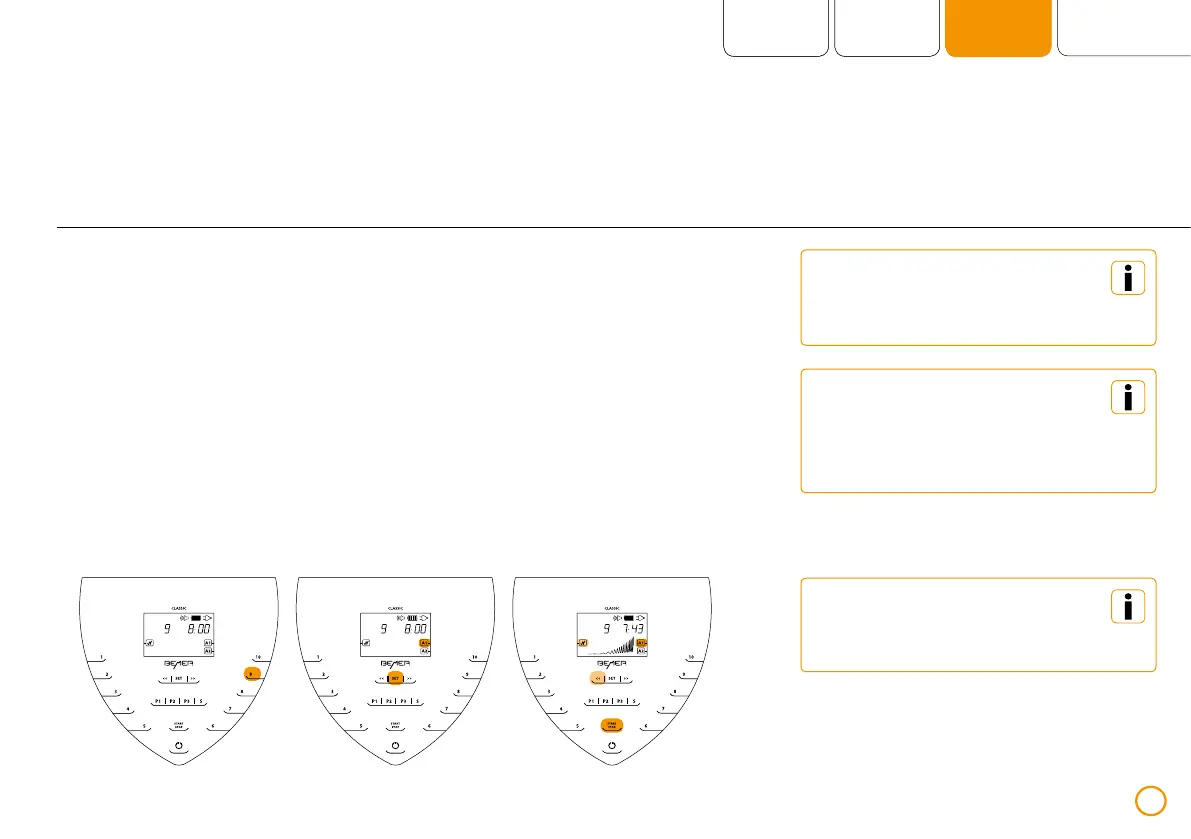
>> Chose the desired intensity by pressing
the numbers 1-10.
>> Designate the desired application module
[A1 / A2] by repeatedly pressing [SET].
>> Activate / deactivate the plus Signal
by pressing the left arrow key.
>> Start the short application with
[START / STOP].
After selecting the desired application,
press the left arrow key to switch the
plus Signal on / off.
Simultaneous operation is only
possible with 2 B.BODY application
modules connected (both using
the same duration and intensity).
The selected application module
blinks both during the selection
and during application use.
Example – short application with intensity 9 (2 B.BODY application modules connected, port A1 selected)


 To Next Page