109
DEUTSCHENGLISH
Setting the display brightness
>> Press and hold down the [SET] key to
activate the settings menu.
>> Using the arrow keys select [Display]
and confirm with [SET].
>> Set the desired brightness by using
the arrow keys.
The display brightness corresponds
to the current selection.
>> Confirm selection with [SET].
To access the system information
>> Press and hold down the [SET] key
to activate the settings menu.
>> Select the menu item [INFO] by using
the arrow keys and confirm with [SET].
>> Now continue to your selection using
the arrow keys.
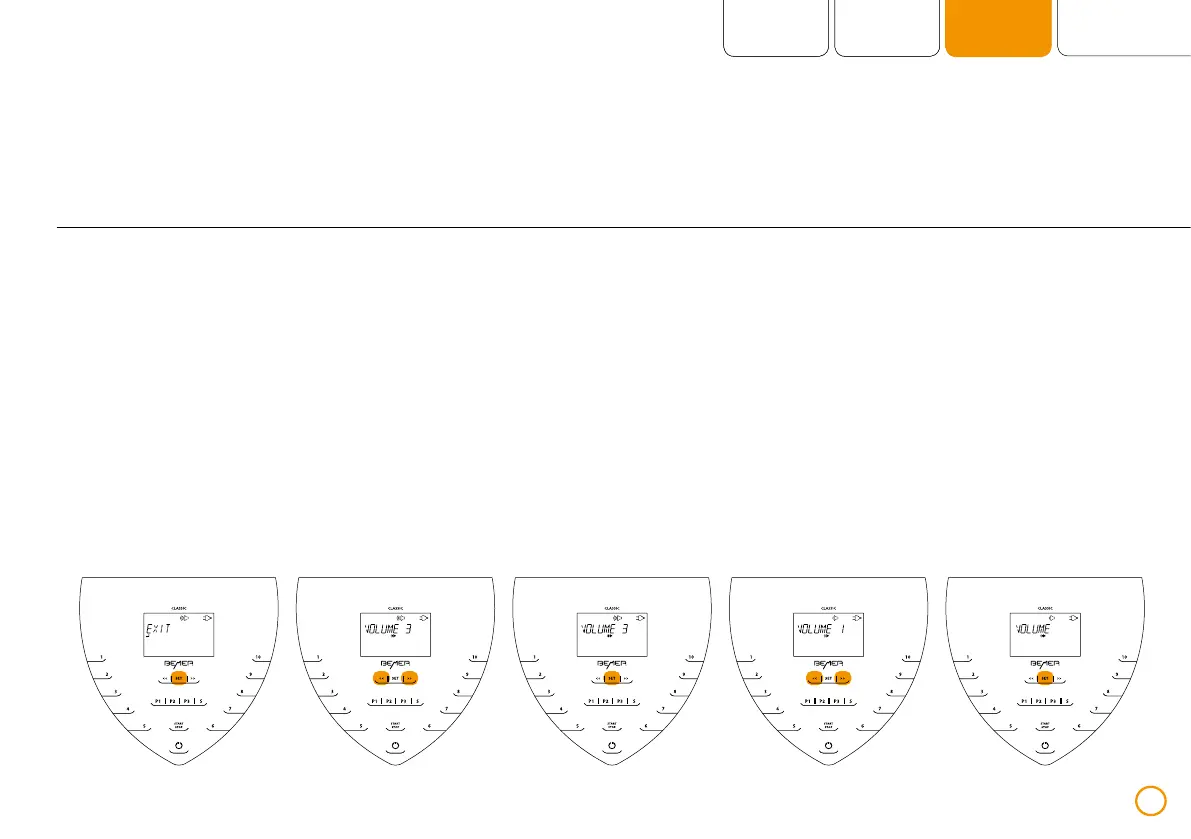
Example – settings VOLUME


 To Next Page