119
DEUTSCHENGLISH
>> Make the necessary changes on the chosen
program (see “Creating a program”).
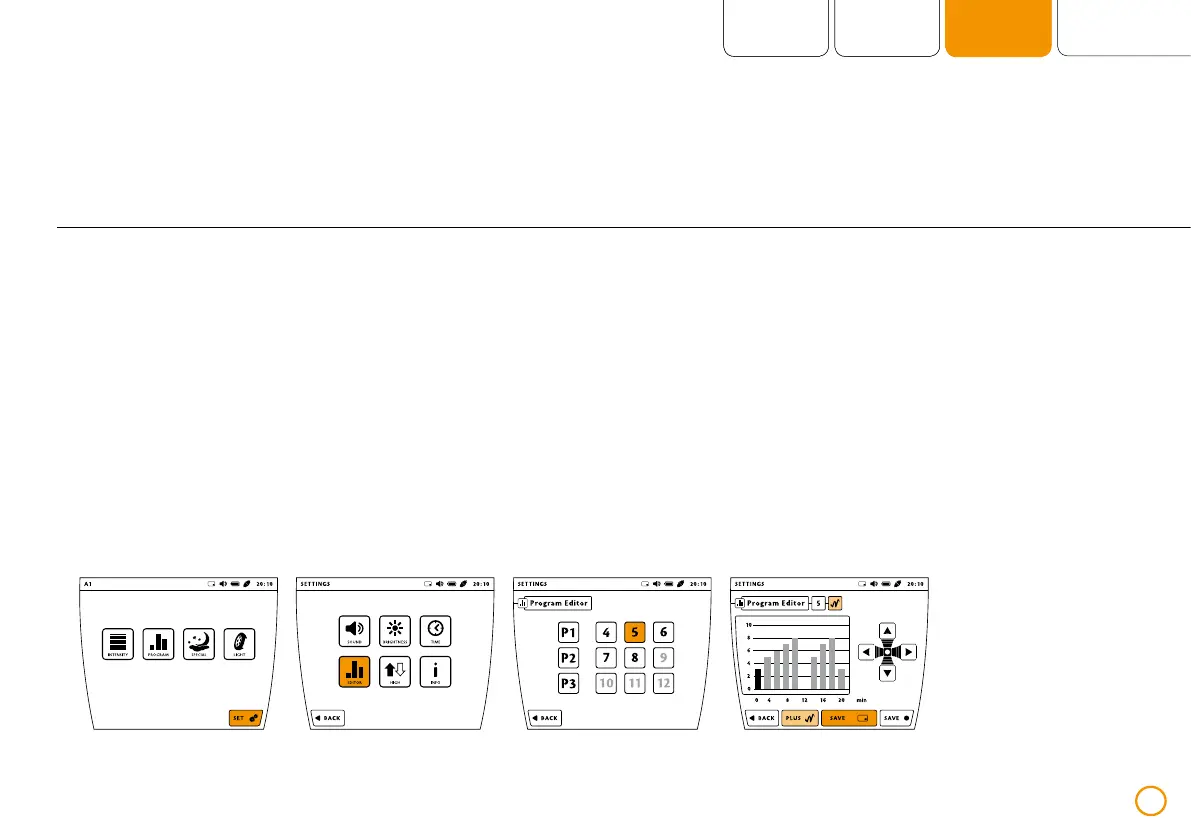
>> Now save the program on the memory card
by pressing the button [SAVE – with the
card symbol].
Saving on your memory card
>> Slide the memory card into the card slot.
>> Press the [SET] button.
>> Press the [EDITOR] button.
>> Now select the storage location of the
desired program (using buttons 4-12).
Example – saving on a memory card


 To Next Page