18
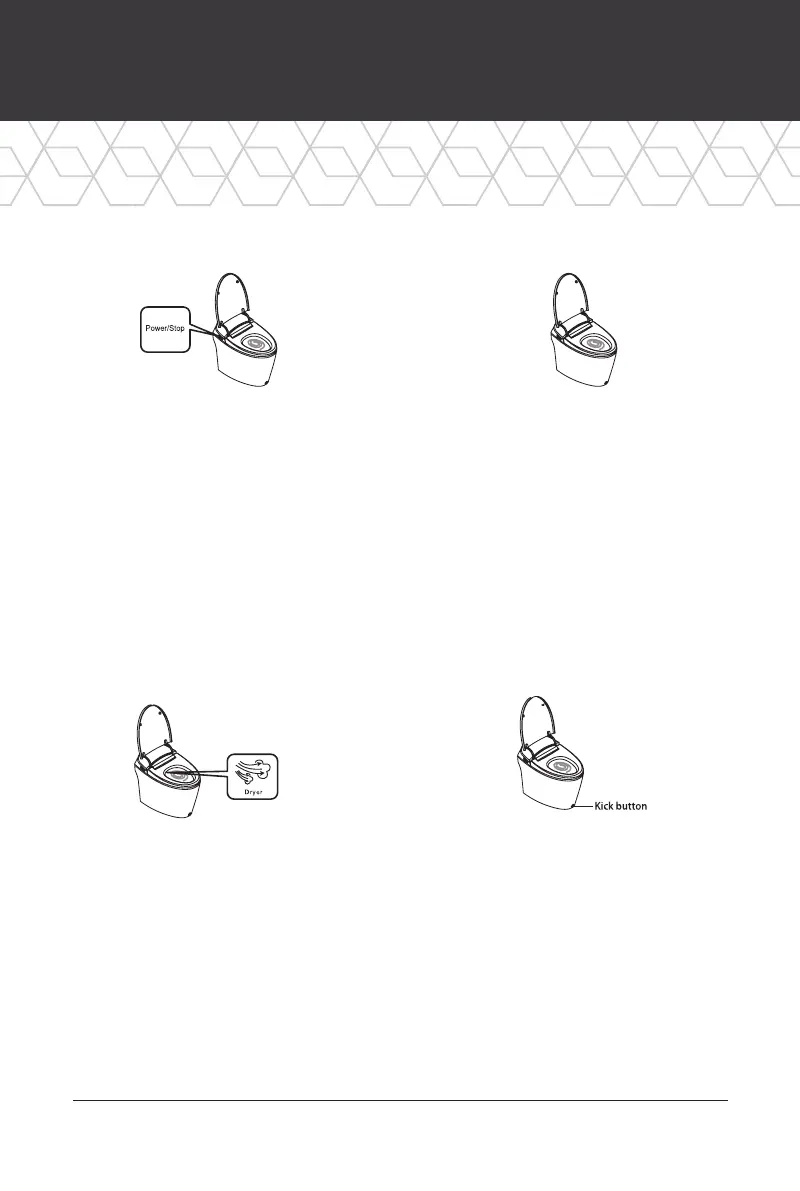
Kick Flush
Tap the Kick Button with your
foot for easy manual flushing.
Wash functions cannot be used
during a flush.
HOW TO USE (CONT.)
Dryer Flush
Press the “Dryer” button.
The warm air function is activated
and a flush is performed.
Blackout Flush
When the product is unplugged,
press the Power/Stop button. If
the toilet is not flushing properly,
replace the battery.
Auto Flush
When the seat sensor no longer
detects a user, it will automatically
flush. The toilet will only
flush once.



 To Next Page