17
HOW TO USE
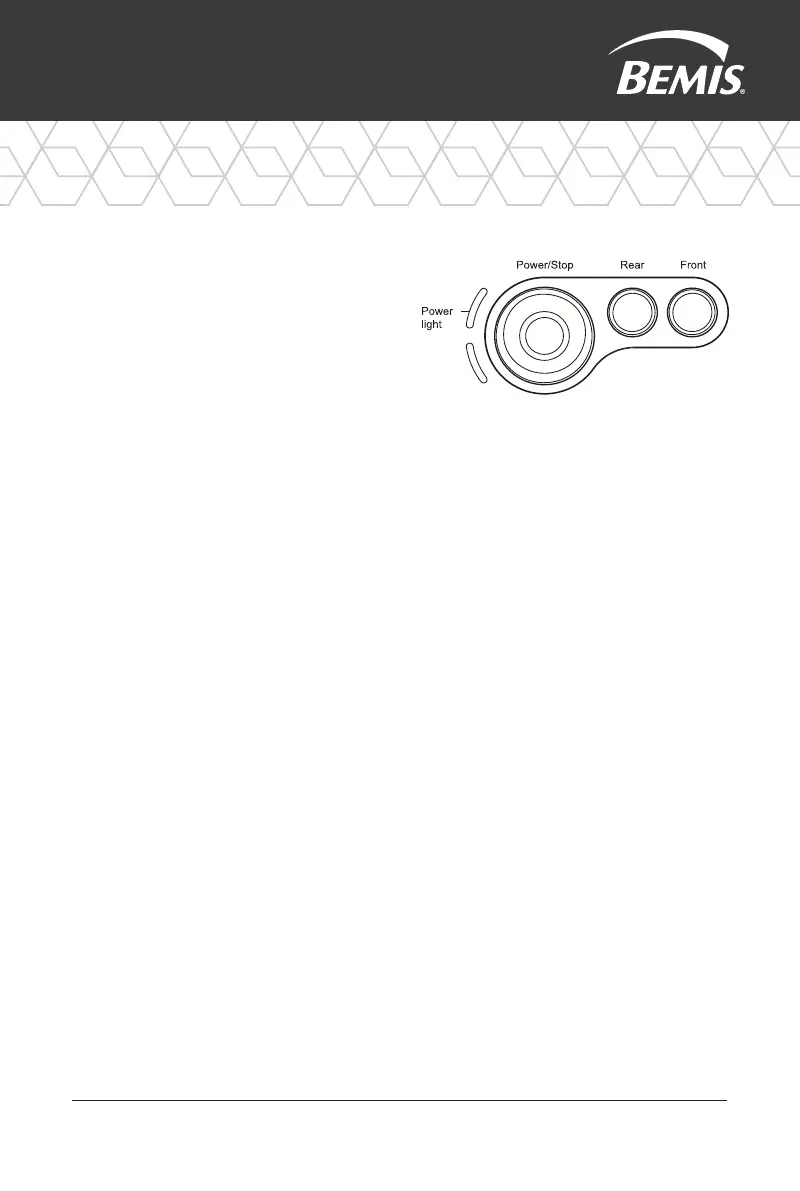
Power on/off Button
Push the button to power on.
Push and hold the button to power
off. Press during a wash to stop
all operations.
Auto Rear Wash
Press the auto rear wash button.
When seated, press the auto rear
button to start a rear wash for 1 minute,
followed by the dryer function for 4
minutes. If you press the button again
during a wash, it will skip to the dryer.
Auto Front Wash
When seated, press the auto front
button to start a rear wash for 1 minute,
followed by the dryer function for 4
minutes. If you press the button again
during a wash, it will skip to the dryer.
NOTE: After 24 hours, product
will automatically go into power
saving mode and all functions will
shut off. To turn back on, simply
push the Power button on the
Side Control Panel.



 To Next Page