13
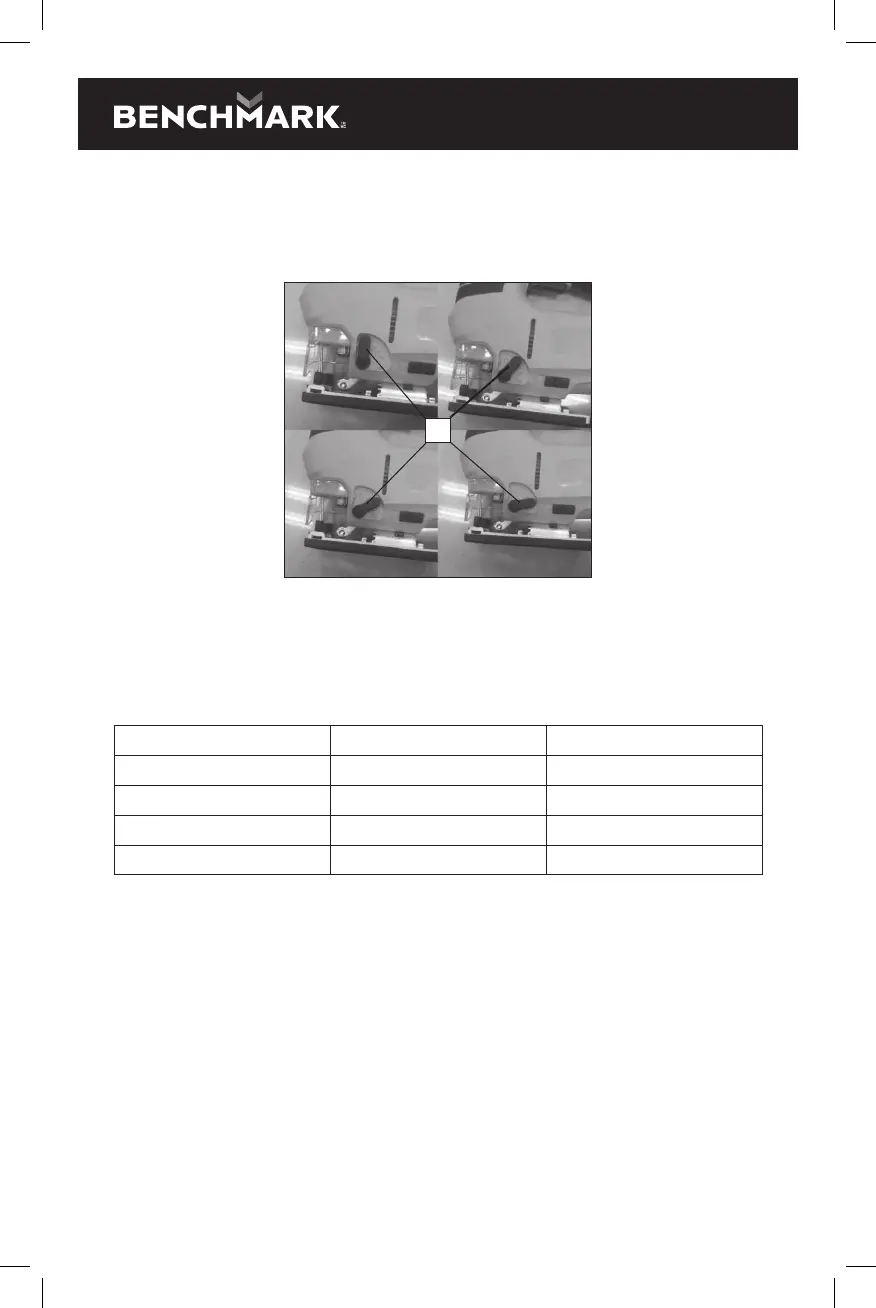
To set the orbital cutting angle, rotate the orbital cutting lever forward or
backward to the desired setting number (1) (Fig. 6).
NOTE: The orbital setting button will "click" at each of the four positions.
Slide the orbital button slightly forward or backward until it locks into place.
1
Fig. 6
LASER / LED WORK-LIGHT SWITCH
The laser / LED work-light switch (1) is located in the front of the saw housing
(Fig. 7). This 4-position switch turns the laser and LED work-light (2) ON and OFF.
The following chart indicates the status of each component.
Press switch LED light Laser
Once ON ON
Twice ON OFF
Three times OFF ON
Four times OFF OFF
To turn either the laser or LED work-light ON or OFF, press the switch the number of
times indicated in the above chart.
DANGER: Never point the laser at anyone or look directly into the laser beam. The
laser beam can cause blindness.


 To Next Page