1268-600
VARIABLE SPEED JIGSAW
14
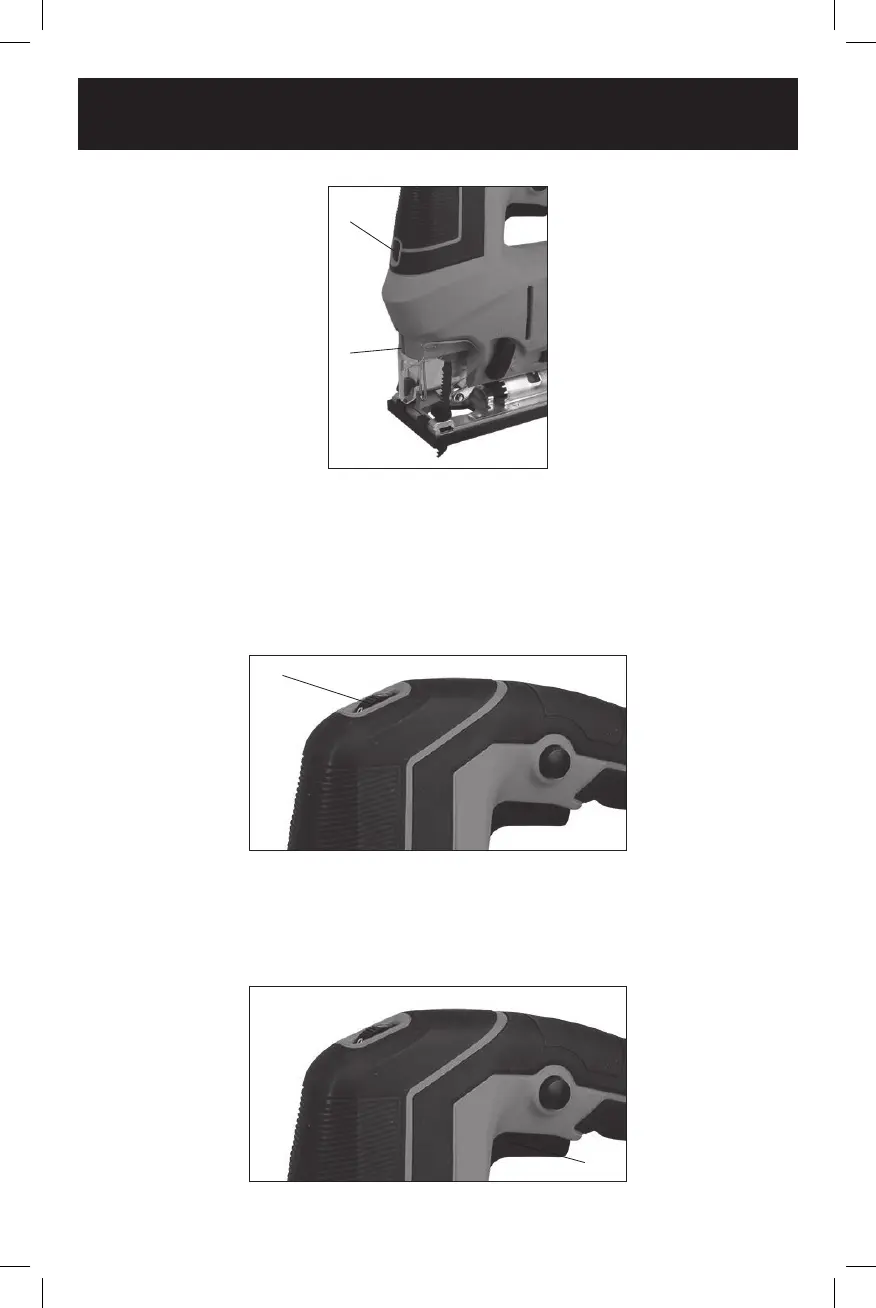
Fig. 7
1
2
The laser beam will throw a marker beam on the workpiece to help you guide the jig
saw through the desired cutting pattern.
VARIABLE SPEED CONTROL WHEEL
Set the jig saw speed by rotating the variable speed control wheel (1) to the
appropriate speed (Fig. 8). Rotating the variable speed control wheel toward the
rear of the jig saw will result in slower speeds. Position the speed control dial at "1"
for the slowest speed, "3" for medium speed and at "6" for the highest speed.
1
Fig. 8
TRIGGER SWITCH
The trigger switch turns the jig saw ON and OFF.
1. To turn the jig saw ON, squeeze the trigger switch (1) (Fig. 9).
2. To turn the jig saw OFF, release the trigger switch.
1
Fig. 9


 To Next Page