15
LOCK-ON BUTTON
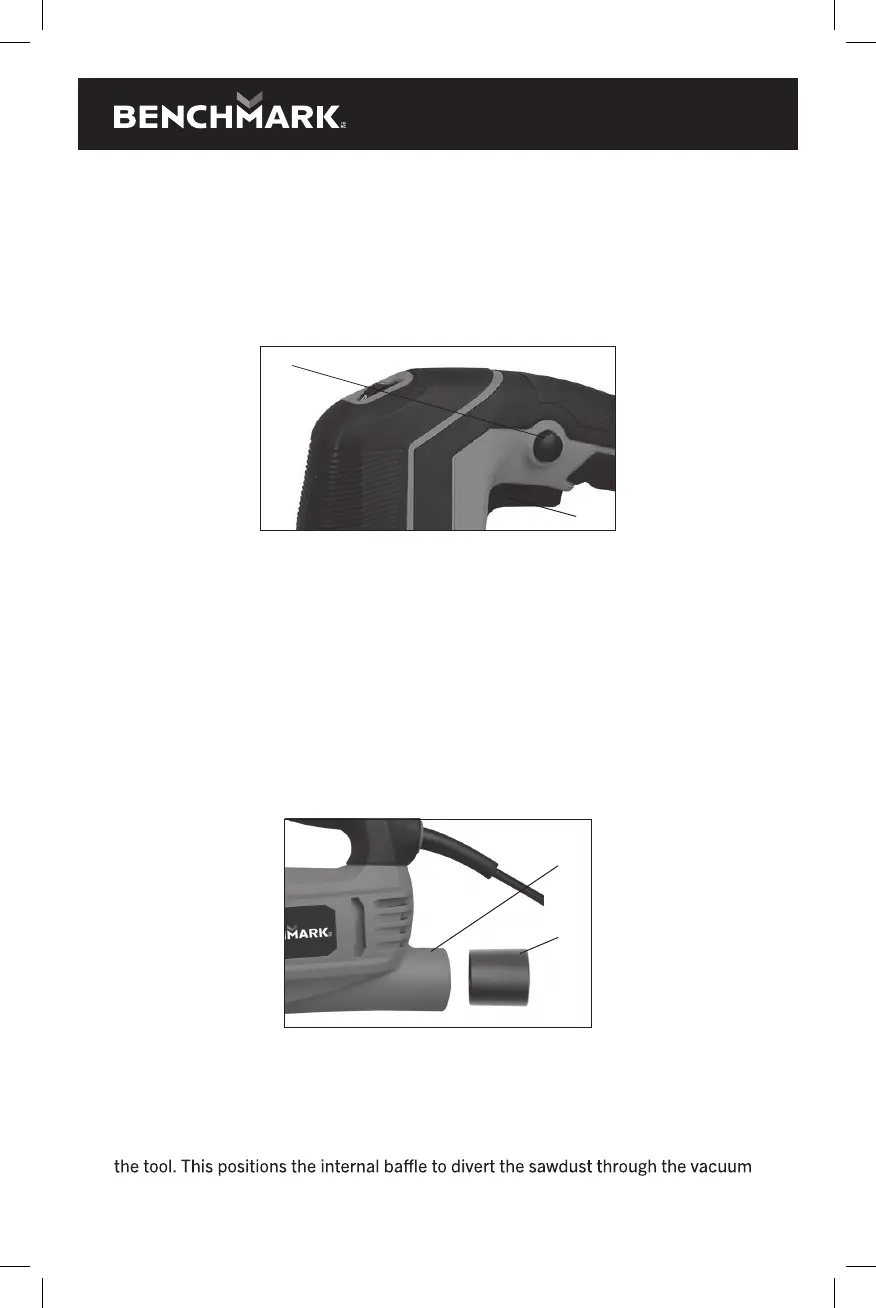
Your jig saw is equipped with a lock-on feature, which is convenient when
continuous cutting for extended periods of time is required (Fig. 10). To lock the
switch ON, depress the trigger switch (1), push in and hold the lock-on button (2)
located at the left side of the handle, then release the trigger.
Release the lock-on button and your jig saw will continue running. To turn the jig saw
OFF, depress and release the trigger switch to release lock.
2
1
Fig. 10
INSTALLING THE VACUUM ADAPTOR
To reduce the amount of loose sawdust produced while cutting, a workshop vacuum
can be attached to the jig saw by using the vacuum adapter supplied with the jig saw.
To install the vacuum adapter (1), insert the adapter into the vacuum port (2) in the
rear of the jig saw housing (Fig. 11).
NOTES:
a) The vacuum adapter is slightly tapered. If the adapter is too large to be
inserted into the vacuum port, insert the opposite end of the adaptor into
the vacuum port.
a) Twist the adapter slightly as it is pressed into the vacuum port to ensure
it is fully inserted.
1
2
Fig. 11
VACUUM PORT SWITCH
During normal use without the vacuum adaptor installed, the vacuum port switch
(1) must be slid toward the front of the tool (Fig. 12). This will allow the internal
motor fan to continuously blow the sawdust away from the cutting mark. When the
vacuum adaptor is installed, the vacuum port switch must be slid toward the rear of
port so it can be evacuated by the workshop vacuum.


 To Next Page