Fig 6
STEP FOUR
( Installing The POWERSIDE Column )
1. Before proceeding, double the check
measurements and make certain that the
bases of each column are aligned with the
chalk line.
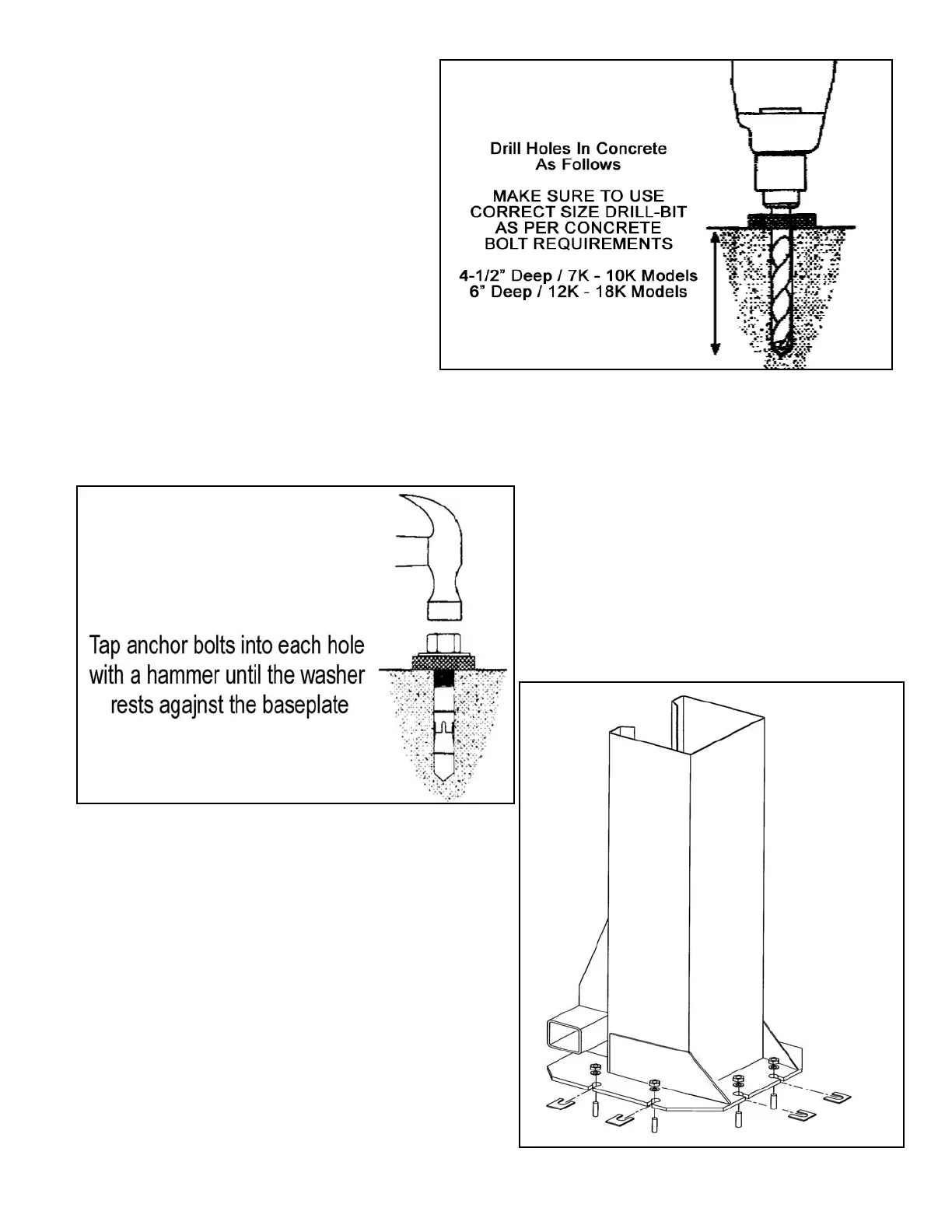
2. Using the baseplate on the POWERSIDE
column as a guide, drill each anchor hole in
the concrete ( approximately 4-1/2” deep for
10K models and 6” deep for 12K and 15K
models ) using a rotary hammer drill and 3/4”
concrete drill-bit. To assure full holding
power, do not ream the hole or allow the drill
to wobble. ( Fig. 5 )
Fig 5
3. After drilling, remove dust thoroughly
from each hole making certain that the
column remains aligned with the chalk
line.
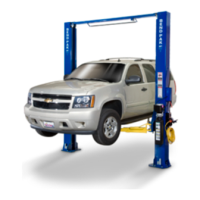
4. Assemble the washers and nuts on
the anchors then tap into each hole with
a hammer until the washer rests against
the baseplate. Be sure that if shimming
is required that enough threads are left
exposed. ( See Fig. 6 )
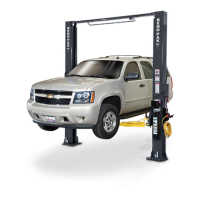
5. If shimming is required, insert the shims
as necessary under the baseplate so that
when the anchor bolts are tightened, the
columns will be plumb. ( See Fig. 7 )
Fig 7


 To Next Page