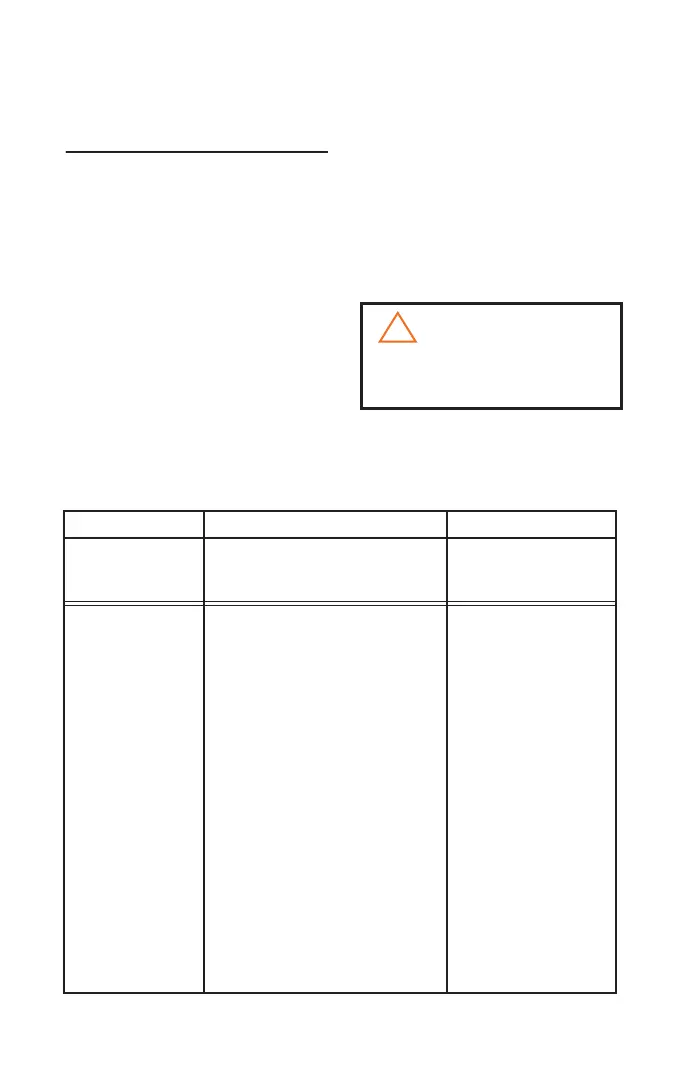
TROUBLESHOOTING
9
MAINTENANCE AND CARE
CLEARING BLOCKAGES
FROM THE DIRT CONTAINER
1. Unplug the vacuum from the electrical
outlet
2. Follow steps 1 to 4 on page 6 to
remove and open the dirt container
3. Follow step 2 on page 7 to remove the
Microparticle Filter
4. Tap the dirt container over a garbage
bin
5. Clear the dirt container of any dirt or
debris
6. Check if there are any blockages in
the suction inlet
7. After clearing any dirt or debris
from the dirt container, replace the
dirt container assembly into the dirt
container
Vacuum cleaner
won't run
Problem Possible causes Solution
1. Power cord not rmly plugged in
1. Check electrical plug
2. Power button not pressed down 2. Press power button
Vacuum cleaner
doesn't vacuum
effectively
2. Filters are dirty 2. Follow instructions
for cleaning lters
on pages 7 - 8
1. Tools, hose or extension wands
are blocked
1. Remove each part
and check for
blockages
3. Follow instructions
for emptying the dirt
container on page 6
3. Dirt container is full
4. Check that hose
connector is locked
into suction inlet
4. Hose connector not securely
attached to suction inlet
5. Check hose and
replace if necessary
5. Crack or hole in hose
6. Change to closed or
maximum setting
6. Air ow regulator is set to open
or minimum setting
7. Clear blockage from
the dirt container
following steps 1 to
7 at the top of this
page.
7. Blocked dirt container
To reduce the risk of electric shock, turn Power
Switch OFF and disconnect plug from electrical
outlet before performing troubleshooting checks.
!
WARNING:



 To Next Page