Basic operations 23
Video
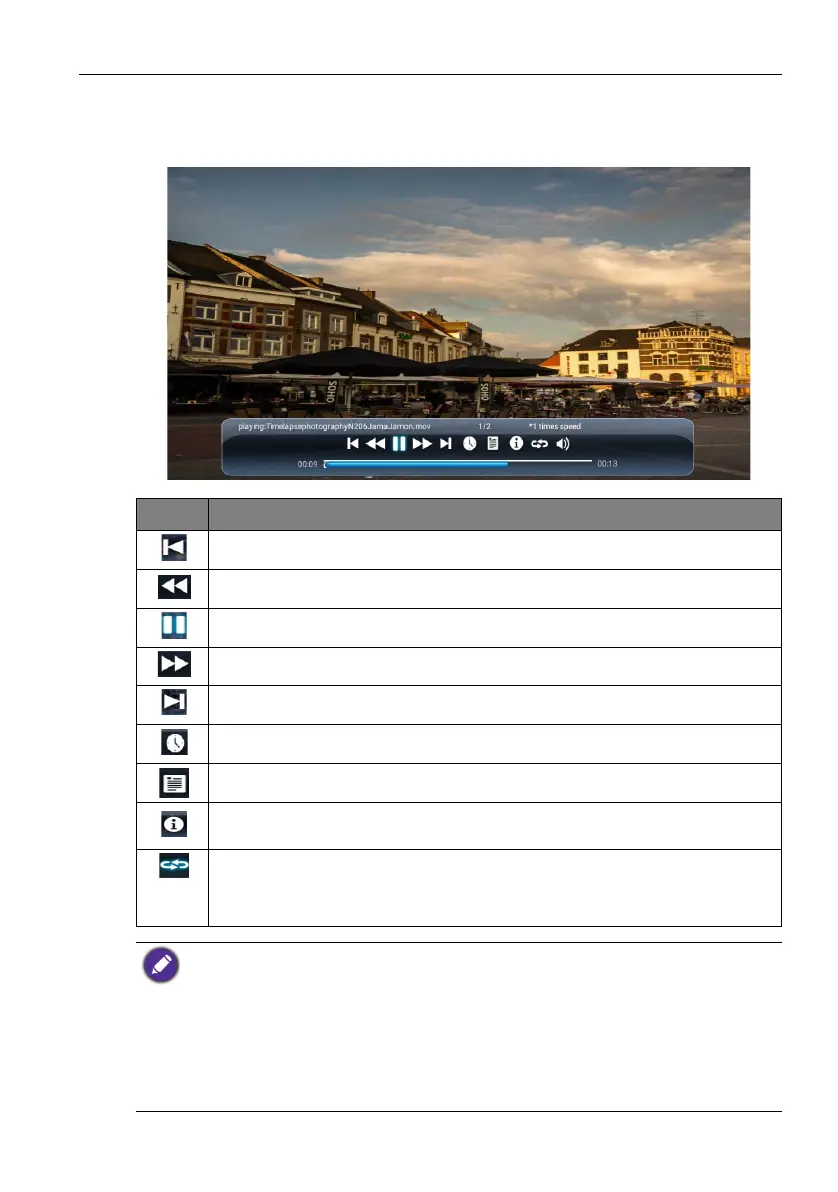
Select a video file you want to play on the display and perform any of the functions shown
on the screen.
Icon Function
Play the previous video file.
Fast rewind the current video.
Play/pause the current playback.
Fast forward the current video.
Play the next video file.
Playing progress.
Check video files in the playlist.
See the information about the file name, file duration, file size, file format,
audio codec, and video codec.
• Repeatedly play one video file in the playlist.
• Repeatedly play the whole video files in the playlist.
• Shuffle Play. The video files play in a random order.
Supported video format (codec) up to 4K resolution:
• 3gp (H.264 MP, HP@Level 4.1, H263, MPEG-4 SP@L0-3, ASP@L0-5)
• avi (MPEG-1, MPEG-2 MP@HL, MPEG-4 SP@L0-3, ASP@L0-5, H.264, MP, HP@Level 4.1,
H263, VP6, MJPEG)
• mkv (VP9, H.265)
• mov (MPEG-4 SP@L0-3, ASP@L0-5, MJPEG, H.264 MP, HP@Level 4.1, H265)
• mp4 (MPEG-4 SP@L0-3, ASP@L0-5, H.264 MP, HP@Level 4.1, H265)
• mpg, mpeg (MPEG-1, MPEG-2 MP@HL, H.264 MP, HP@Level 4.1)
• ts (MPEG-2 MP@HL, MPEG-4 SP@L0-3,ASP@L0-5, H.264 MP, HP@Level 4.1, VC1 AP, H265)



 To Next Page