Menu operations 35
Picture settings (HDMI)
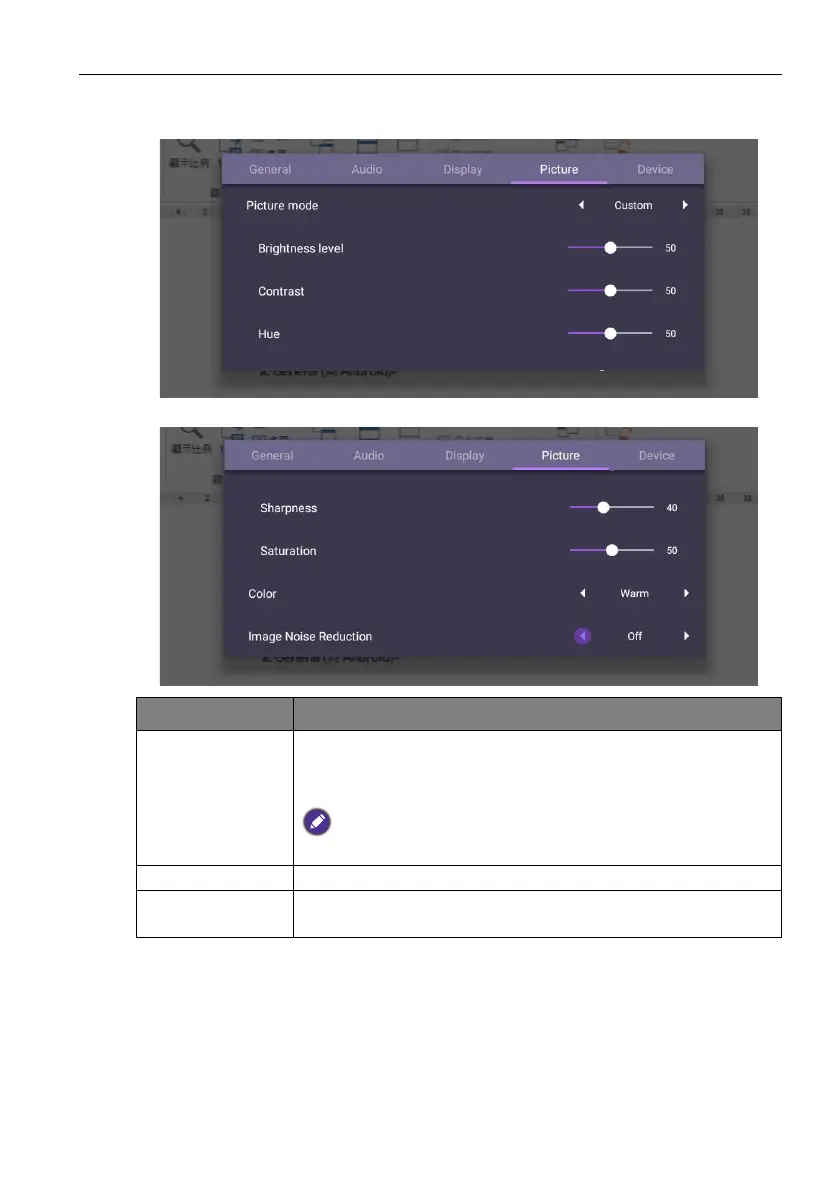
Leave the android system and connect to HDMI. Select Picture.
Menu Description
Picture Mode Options are Standard, Bright, Soft, and Custom. You can
also adjust Brightness level, Contrast, Hue, Sharpness,
and Saturation.
The default value of Picture Mode is Standard. The detail settings of
Picture Mode can be modified only in Custom mode.
Color Options are Standard, Cold, or Warm.
Image Noise
Reduction
Options are Off, Low, Middle, High.



 To Next Page