English
Using the Camera14
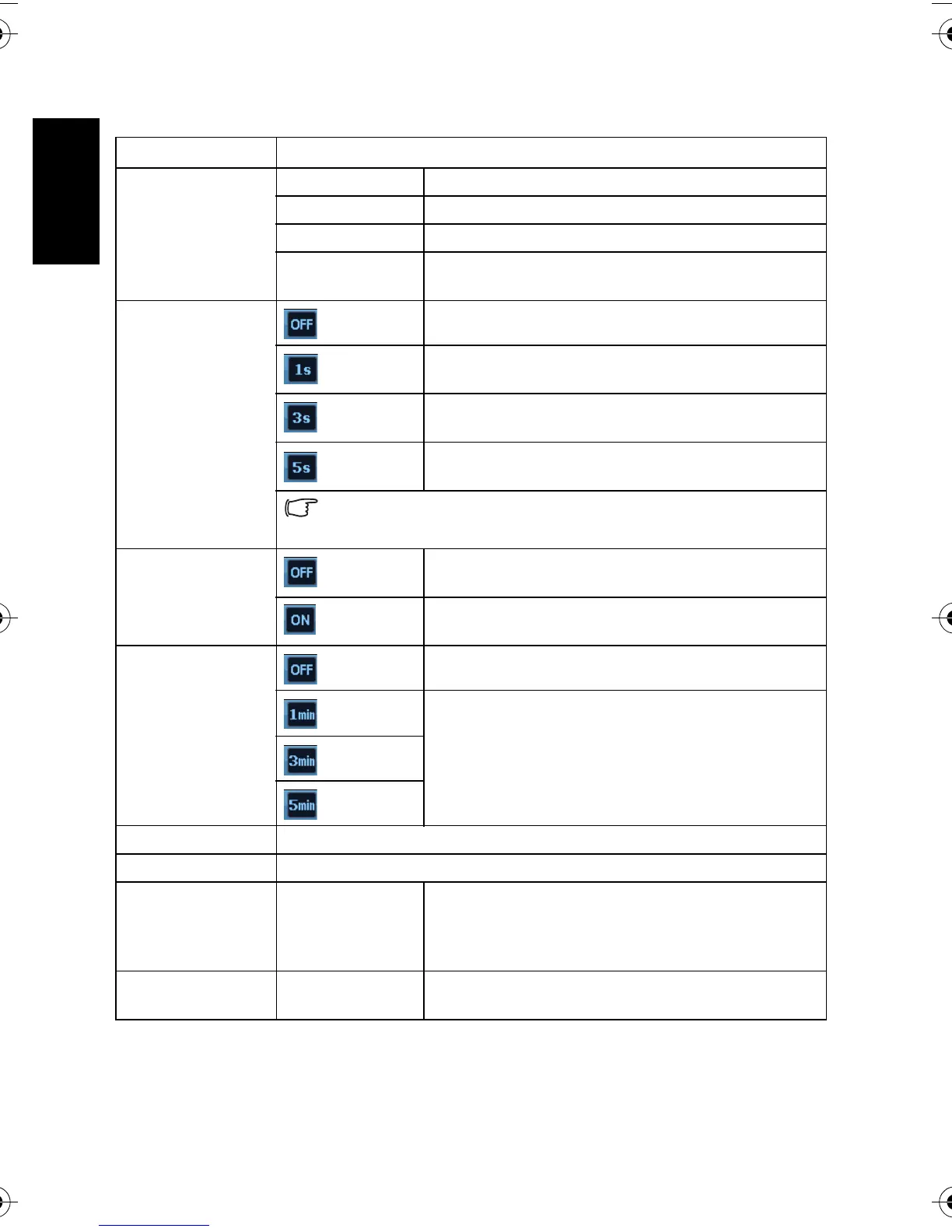
3.4.3.1 Setup menu list
Menu item Functions
Sounds [Shutter] Sets the shutter sound on and off.
[Startup] Sets a type of the startup sound.
[Operation] Sets the operation sound on and off.
[Volume] Adjusts the volume of the shutter sound, startup
sound, operation sound and playback sound.
Instant Review
[Off]
The captured image is not automatically displayed.
[1 sec.]
The captured image will display for 1 second after
shooting.
[3 sec.]
The captured image will display for 3 seconds after
shooting.
[5 sec.]
The captured image will display for 5 seconds after
shooting.
During instant review, half press the shutter to return to the capture
mode.
LCD Save
[Off]
The LCD screen remains bright when the camera is
idle.
[On]
For power conservation, the LCD screen is dimmed
automatically after 5 seconds.
Power Save
[Off]
The camera remains on when idle.
[1 min.]
For power conservation, the LCD screen is turned off
automatically after a period of time you set.
[3 min.]
[5 min.]
Date & Time Sets the date & time.
Language Select a language for display menus and other information.
File Numbering [Series] Stores the latest used file number regardless of deleted
files or a change of memory card. This is useful for
avoiding file name duplication when images are
downloaded to a computer.
[Reset] Resets file numbering each time the memory card is
changed.
DSC_C1020_UM CD EN.book Page 14 Monday, March 2, 2009 12:00 PM


 To Next Page