Setting up the display12
Mounting in portrait orientation
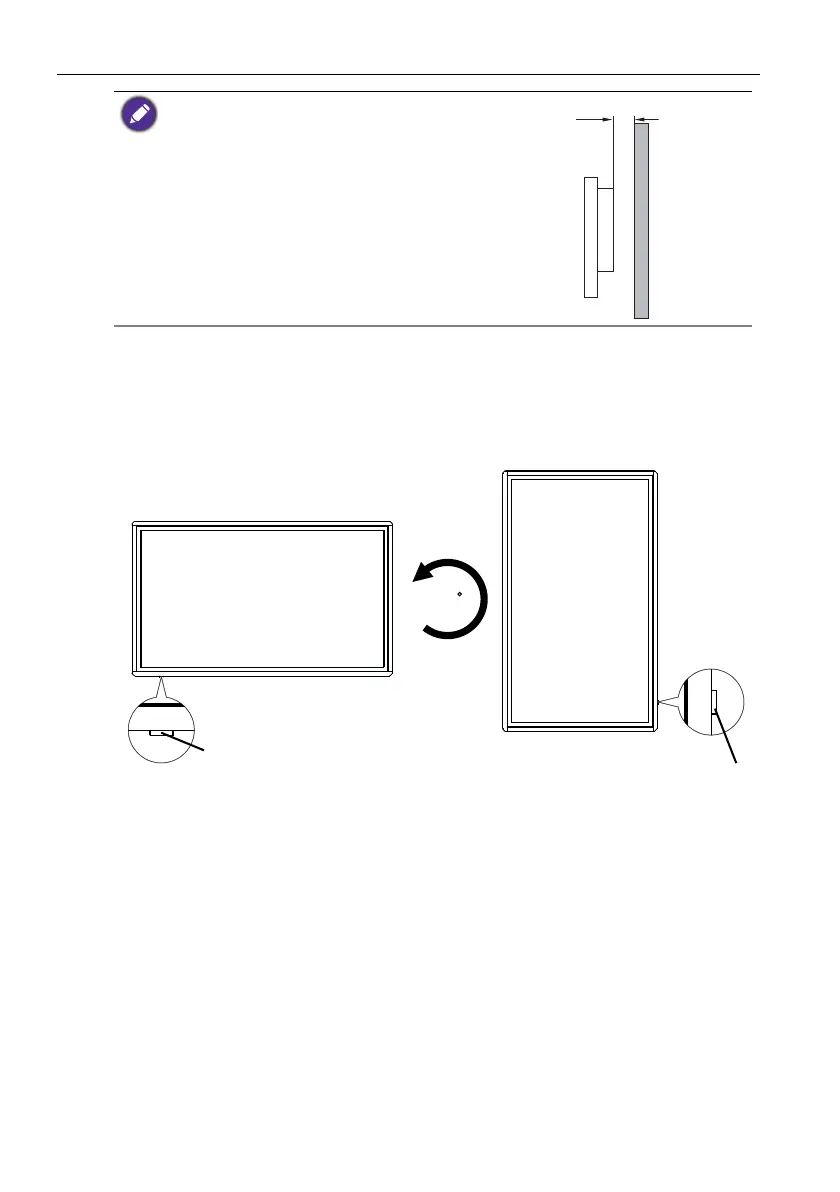
This display can be installed in both landscape and portrait orientation.
When mounting the display in portrait orientation, rotate the display 90 degrees
counter-clockwise as illustrated ensuring that the IR sensor of the display is orientated
rightward from the front of the display.
• To maintain proper ventilation, keep at least 10 mm of
clear space from the back cover of the display to the
wall.
• Please consult a professional technician for wall mount
installations. The manufacturer accepts no liability for
installations not performed by a professional technician.



 To Next Page