Connection22
Connecting the digital inputs
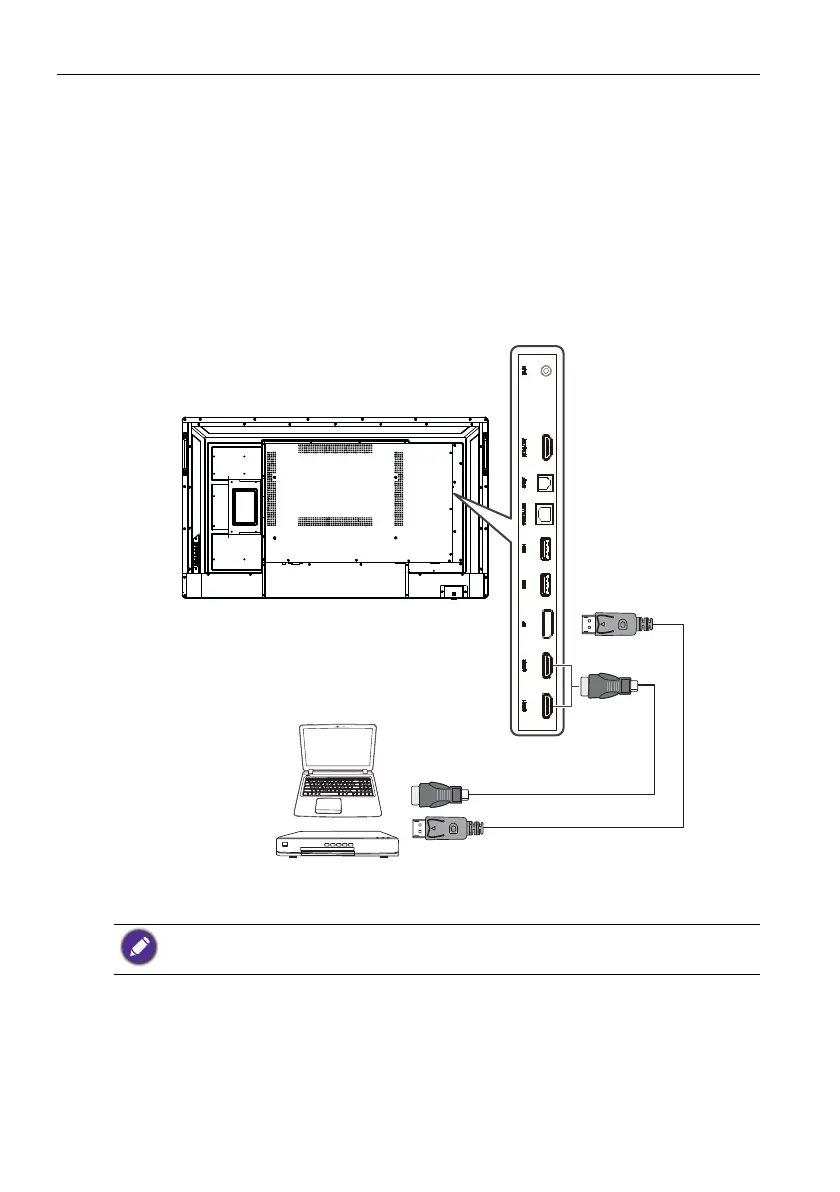
To use the HDMI interface:
1. Connect the HDMI1 or HDMI2 jack on the display to the HDMI output jack on a
computer or external A/V device using an HDMI cable.
2. Press INPUT on the remote control and then select HDMI1 or HDMI2 from the
input source menu.
To use the DP interface:
1. Connect the DP jack on the display to the DP output jack on a computer or external
A/V device using a DP cable.
2. Press INPUT on the remote control and then select DP from the input source
menu.
• The applicable cable is not supplied and should be purchased separately.
• The display provides a selection for the dual-monitor mode.
HDMI cable
DP cable
Computer
A/V device



 To Next Page