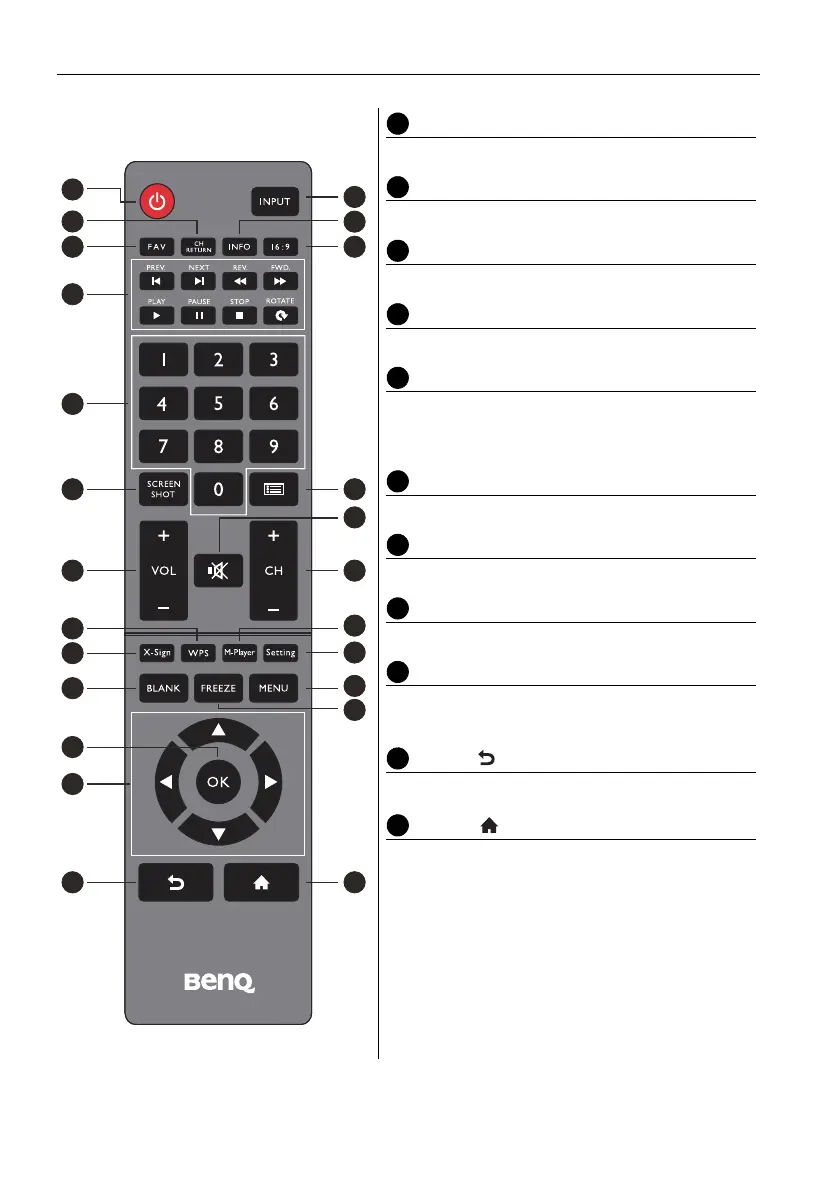
Parts of the display and their functions18
WPS
Open the WPS office app in Android
M-Player
Open the Media Player app in Android.
X-Sign
Open the X-Sign app in Android.
Setting
Open the setting function in Android.
BLANK
Blank and mute the screen (the screen will turn
black) when the OSD menu is off. Press again to
resume.
MENU
Activate the OSD menu.
FREEZE
Freeze the screen.
OK
Confirm the selected options or save changes.
CURSOR KEYS (///)
Scroll through settings and options in the OSD
menu.
BACK ( )
Press this key to return to previous page.
HOME ( )
Show the main screen of Android system.
2
3
1
7
8
9
12
16
14
18
22
21
23
5 6
4
10
13
11
17
15
19
24
20



 To Next Page