Menu operations 41
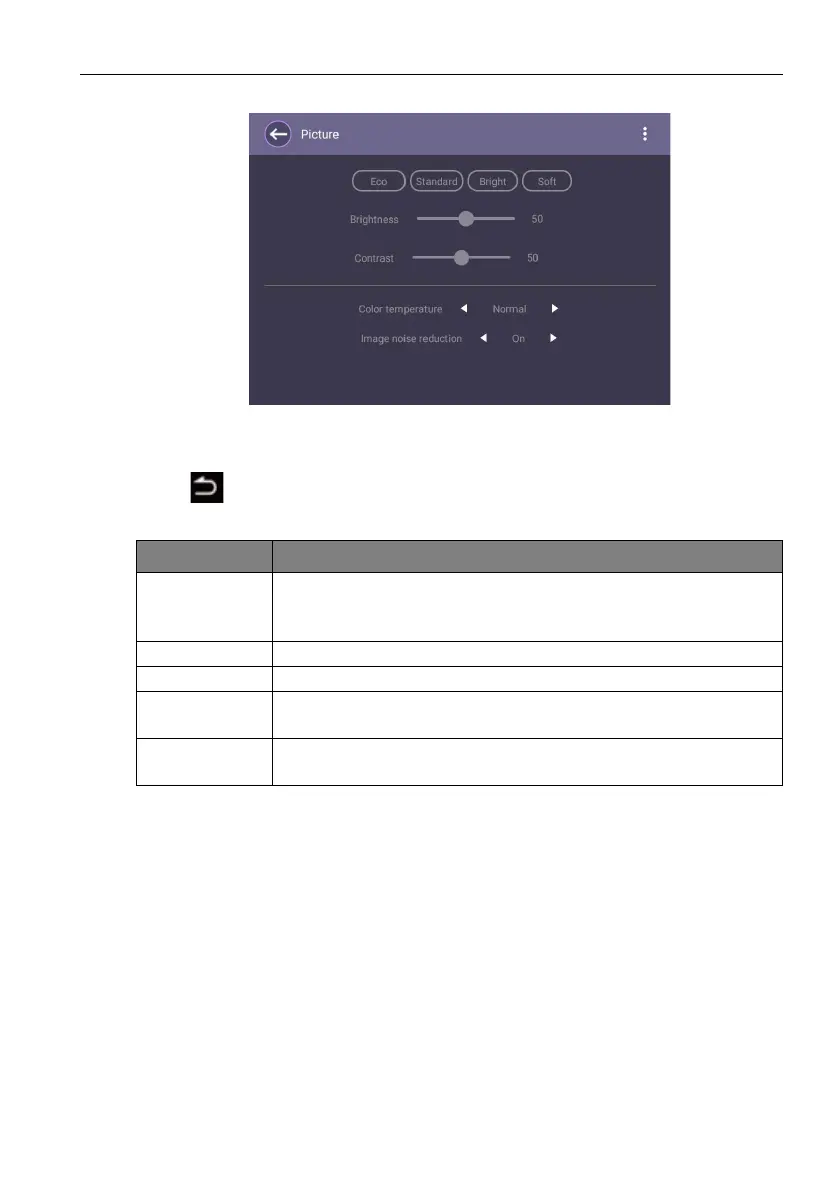
Picture settings
• Press /// on the remote control and press OK to confirm or directly click an
item.
• Press on the remote control or click a blank area outside the menu to exit the
menu.
Menu Description
Picture Mode
Switches between preset picture modes that best suit the type of
images shown on the screen (Standard / Bright / Soft /
Custom).
Brightness Adjusts the brightness of the display (0 to 50).
Contrast Adjusts the contrast of the display (0 to 50).
Color
temperature
Adjusts the color temperature of the display (Cool / Normal /
Warm).
Image noise
reduction
Reduces image noise caused by different media players (On / Off).



 To Next Page