Menu operations 43
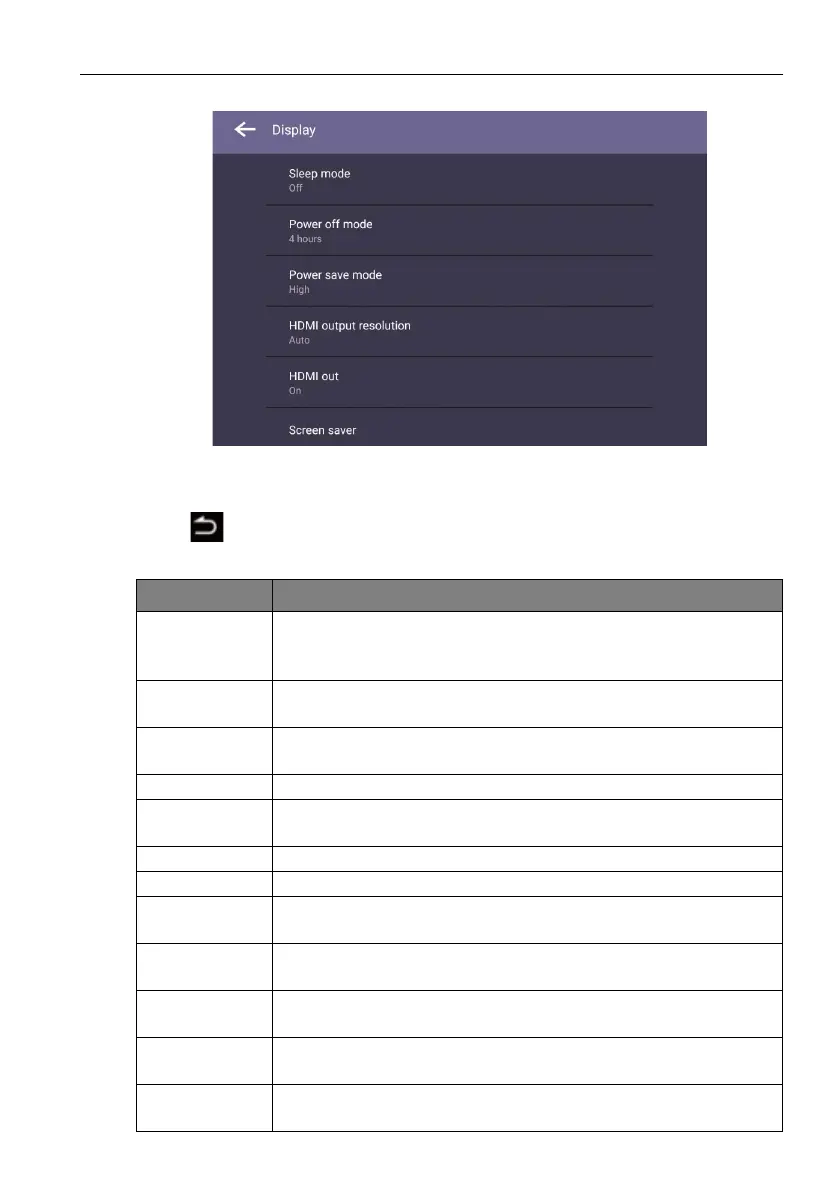
Display settings
• Press /// on the remote control and press OK to confirm or directly click an
item.
• Press on the remote control or click a blank area outside the menu to exit the
menu.
Menu Description
Sleep mode Allows the display to automatically enter sleep mode after a
specified period of time (Off / 1 / 5 / 10 / 20 / 30 / 40 / 50 min / 1 / 2
/ 3 / 4 hr).
Power save
mode
Allows the display to enter power-saving mode when there is no
signal detected (Off / Low / High).
Power off
mode
Allows the display to automatically turn off after a specified period
of time (Off / 1 / 5 / 10 / 20 / 30 / 40 / 50 min / 1 / 2 / 3 / 4 hr).
HDMI CEC Enables/Disables the HDMI CEC function.
HDMI output
resolution
Configures the resolution of the HDMI output (1920 x 1080 /
3840 x 2160).
HDMI out Enables/Disables the HDMI out function (On / Off).
Orientation Sets the orientation of the display (Landscape / Portrait).
Channel auto
switch
Allows the display to automatically detect the available input source
(On / Off / Select).
Change
startup logo
Allows you to set the boot-on logo of the display.
Restore
startup logo
Allows you to restore the boot-on logo of the display.
Change
animation
Allows you to set the boot-on animation of the display.
Restore
animation
Allows you to restore the boot-on animation of the display.



 To Next Page