English
16
Controls and functions
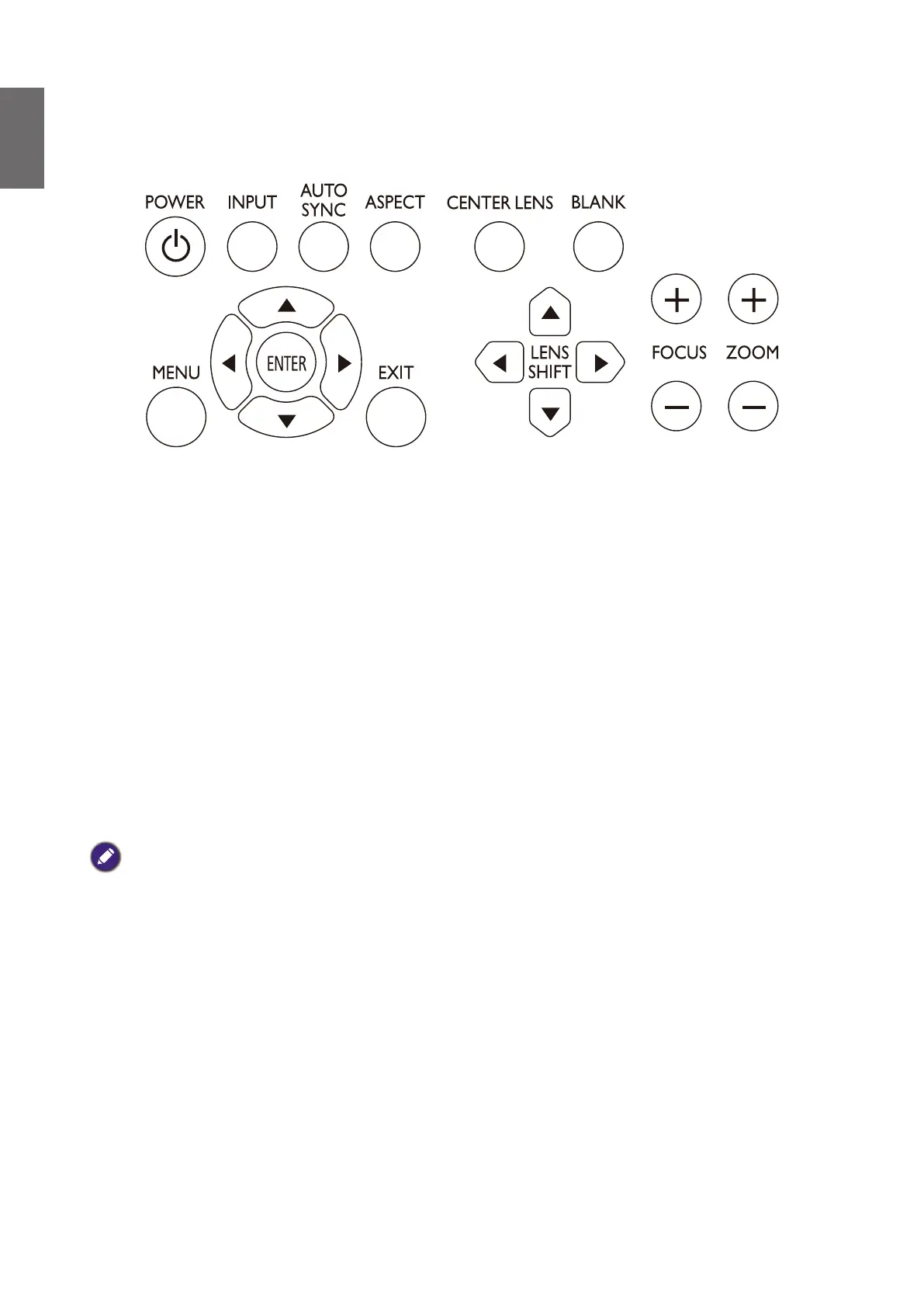
Control panel
• POWER
Press to power on/off your projector.
• INPUT
Press to select video sources including HDMI, DVI-D, Computer 1, Computer 2, DisplayPort
and HDBaseT.
• AUTO SYNC
Press to execute auto signal sync.
• ASPECT
Press to switch aspect ratio of current image.
• MENU
Press to display OSD menu or return to the upper menu level.
• ENTER
Press to select, accept or change settings.
• EXIT
Press to exit OSD menu
.
• CENTER LENS
Press to center the lens and reset its shift, focus and zoom parameters.
Note
The lens memory requires precise lens parameter adjustments. Please re-run the Center Lens function once you install
the lens.
• BLANK
Press the button to temporarily interrupt the projection.
• LENS SHIFT
Press to move lens up, down, left and right.
• FOCUS
Press to adjust focus of projection image.
• ZOOM
Press to zoom in and out on projection image. Remote control and functions.



 To Next Page