English
18
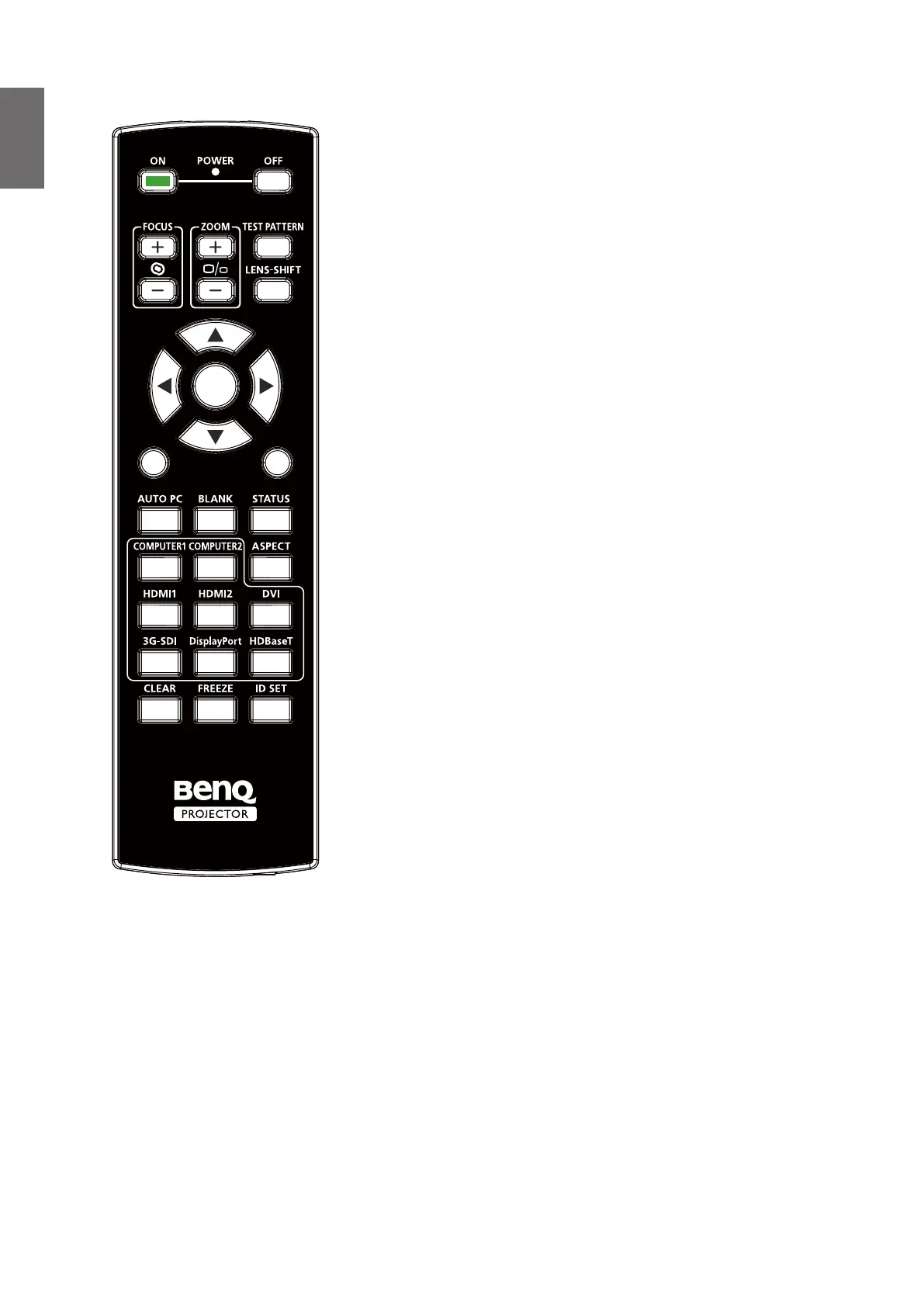
Remote control
EXIT
1
4
7
0
6
3
5
2
MENU
ENTER
• ON
Press to power on projector.
• OFF
Press to power off projector.
• FOCUS +/-
Press to adjust focus of projection image.
• ZOOM +/-
Press to zoom in and out on projection image.
• TEST PATTERN
Press to display embedded test pattern. Press continuously
to scroll through available ones. Press MENU key to exit to
projection image.
• LENS SHIFT
Press to move lens up, down, left and right.
• ENTER
Press to select or accept settings.
• MENU
Press to display OSD menu or return to the upper menu
level.
• EXIT
Press to exit OSD menu.
• AUTO PC
Press to execute auto signal sync.
• BLANK
Press the button to temporarily interrupt the projection.
• STATUS
Show OSD MENU – Information.
• COMPUTER 1
Select COMPUTER 1 input source.
• COMPUTER 2
Select COMPUTER 2 input source.
• ASPECT
Press continuously to scroll through individual aspect ratio.
• HDMI 1
Select HDMI 1 input source.
• HDMI 2
Function same as HDMI 1.
• DVI
Select DVI input source.
• 3G-SDI
Select 3G-SDI input source.
• DisplayPort
Select DisplayPort input source.
• HDBaseT
Select HDBaseT input source.
• CLEAR
Not available with this model.
• FREEZE
Press to toggle switch between freeze and unfreeze.
• ID SET:
Not available for this model.



 To Next Page