English
28
Adjusting by Lens shift
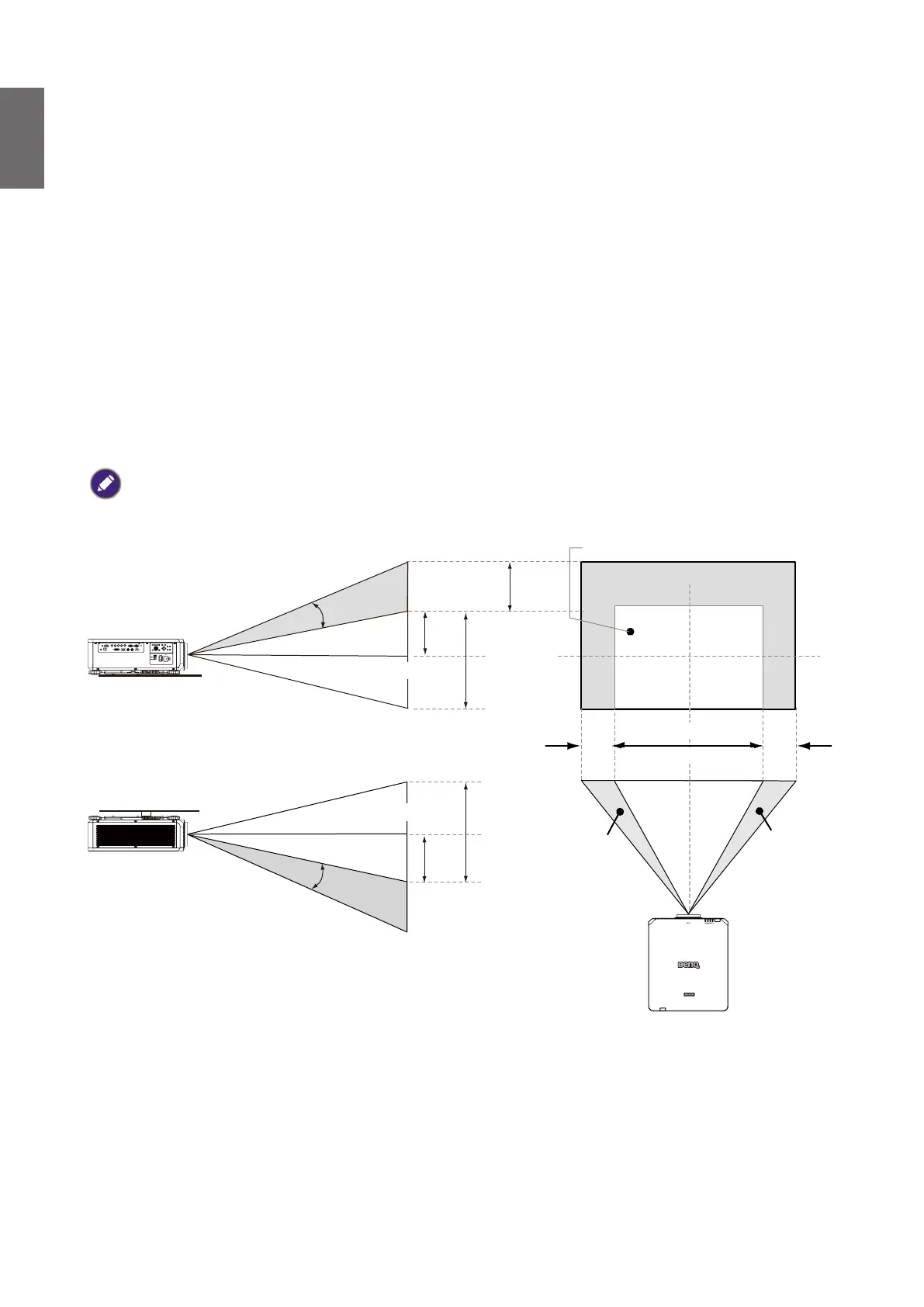
The Lens Shift function can be used to adjust the position of the projected image either
horizontally or vertically within the range detailed below.
Adjusting the vertical image position
The vertical image height can be adjusted between 55% and -15% for WUXGA of offset position.
Please consult the Lens Shift Range diagram below for further clarication.
Adjusting the horizontal image position
With the lens in the center position the horizontal image position can be adjusted to the left or
right by up to a maximum of 5% of the image width. Please consult the Lens Shift Range diagram
below for further clarication.
Lens shift range diagram
The adjustable range for lens shift is tabulated below and subject to the conditions listed.
Note:
The drawings below apply to the standard lens only.
Desk-Front Projection
Vertical Shift
Normal projection position
Max
0.5V
1V
1V
0.1H
Shift to Left
Shift to Right
0.1H
Max
0.5V
Height of projected image
Height of projected image
Width of projected image
1H
Vertical Shift
Ceiling Mount-Front Projection
Notice (when edge blending)
• To avoid the image shaking or some pixels in the display may be misaligned, do not use the
projector in the following location:
• In a building close to a construction site.
• In a room where an air conditioner unit is working and it vibrates.
• In a place where the temperature changes dramatically that may cause thermal contraction.
• Before making any adjustment, leave the projector lit for at least 45 minutes after its light
source is turned on. This allows he internal temperature of the projector to stabilize.



 To Next Page