Connection22
output signal from MONITOR OUT jack varies depending on the input
signal from PC jack.
• If you wish to use this connection method when the projector is in
standby mode, make sure the Standby Monitor Out function is turned
on in the SYSTEM SETUP: Advanced menu. See "Standby Settings" on
page 58 for details.
Connecting Video source devices
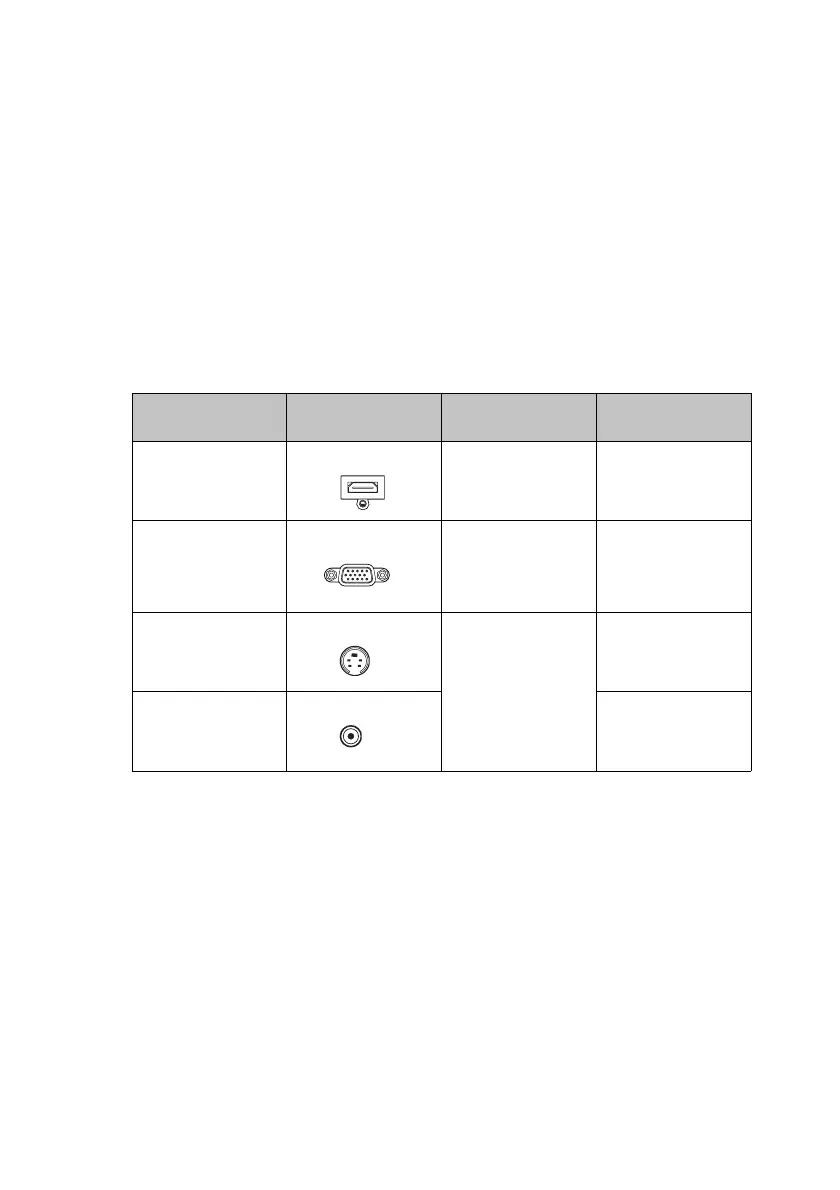
You need only connect the projector to a Video source device using just one of the
above connecting methods, however each provides a different level of video quality.
The method you choose will most likely depend upon the availability of matching
terminals on both the projector and the Video source device as described below:
Te r m i n a l
name
Te r m i n a l
appearance
Reference Picture quality
HDMI1/HDMI2
HDM1/HDMI2I "Connecting a
HDMI source
device" on page 23
Best
Component Video
PC
"Connecting a
Component Video
source device" on
page 24
Better
S-Video
S-VIDEO "Connecting an S-
Video/composite
source device" on
page 25
Good
Video
VIDEO
Normal



 To Next Page