26
System update
The system will automatically detect and prompt for software updates on every startup.
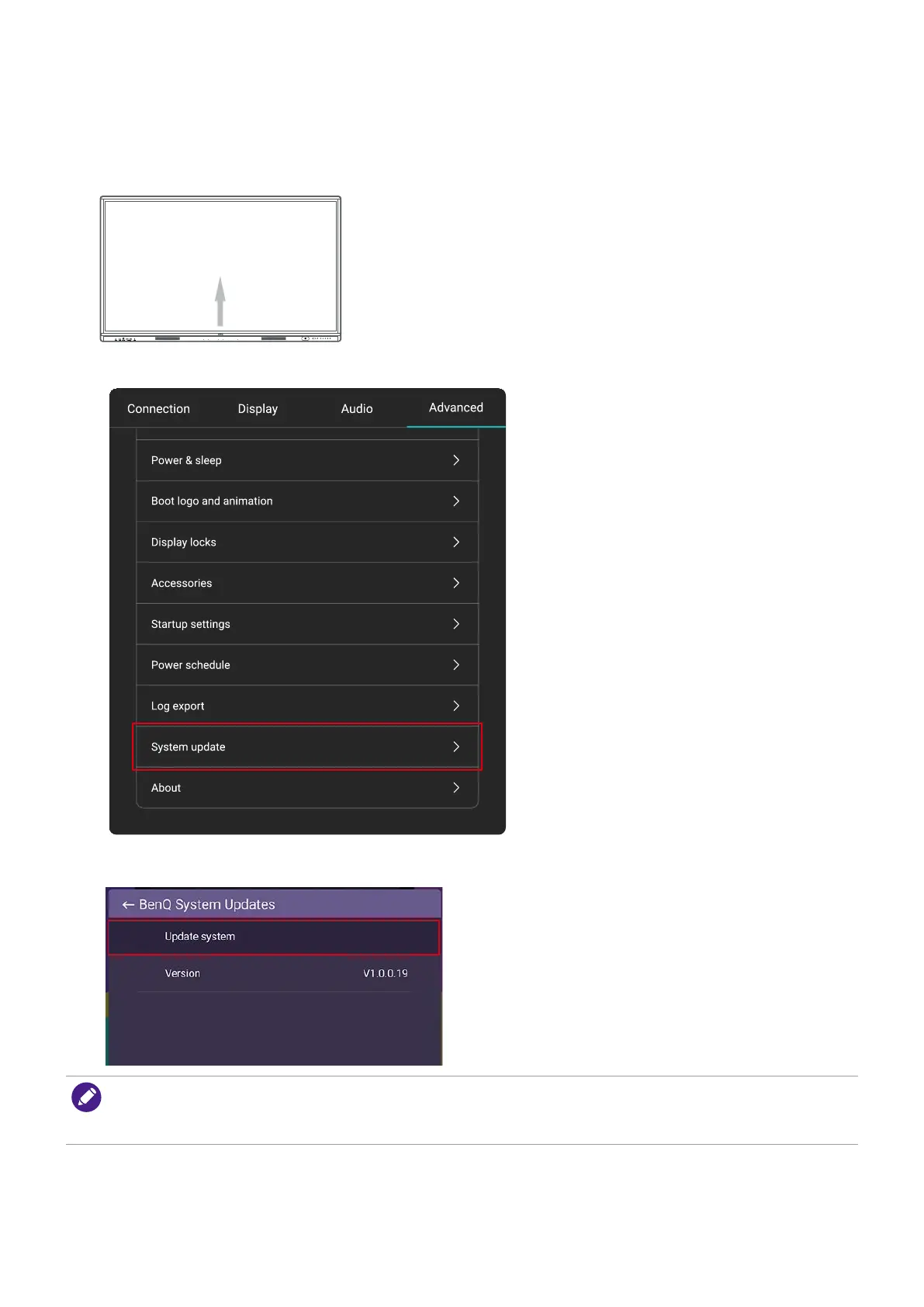
To manually update the software
1. Swipe up from the bottom of your screen to the top to bring up the OSD menu.
2. Tap Advanced > System update.
3. Select Update system. The system will begin updating.
• Software update process may take some time to complete.
• During the update process, do not turn off the device or disconnect the Internet connection. Any
interruptions during the software update process may permanently damage your display.



 To Next Page
 Loading...






