Parts of the display and their functions 9
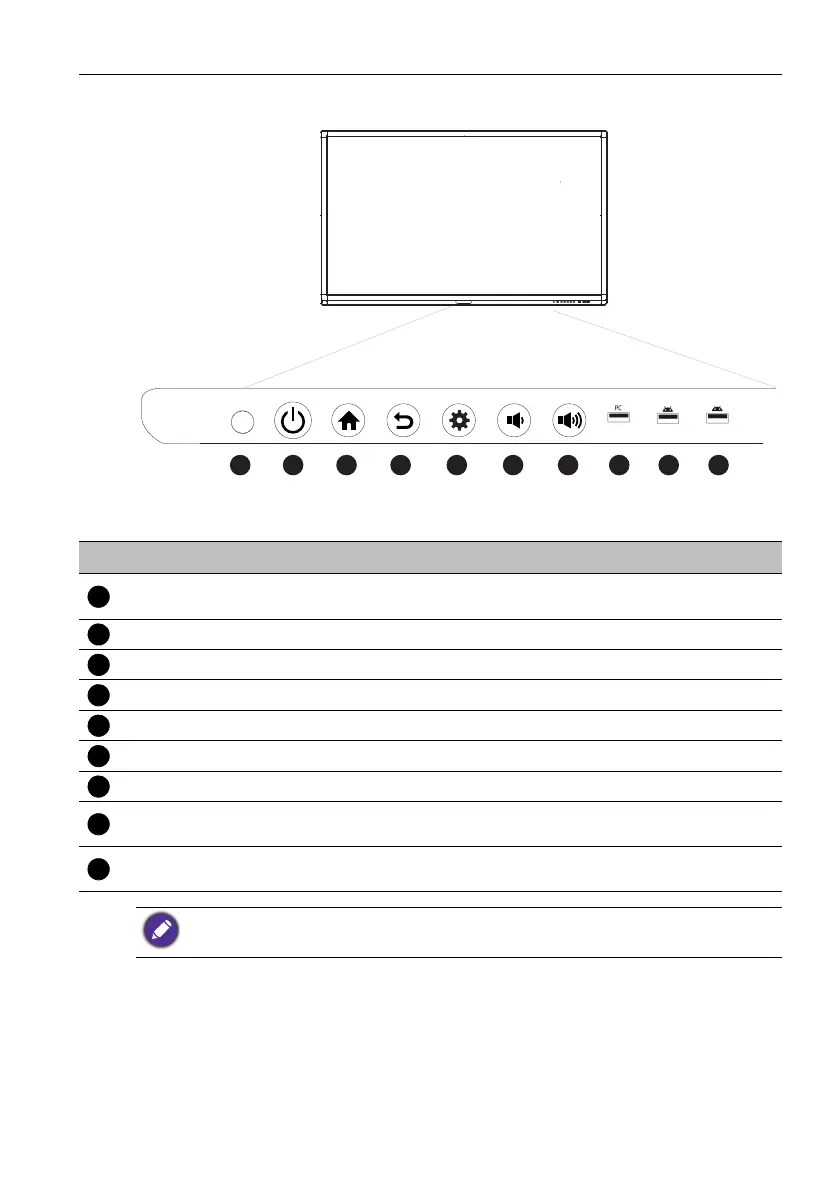
Front panel (RP552H)
No. Name Description
Power
Tap to enter energy saving mode. Press and hold for 2
seconds or more to power off.
Home Press to back to main screen.
Return Press to return to previous level of menu.
Menu Press to enter function menu.
Volume Down Press to decrease volume.
Volume Up Press to increase volume.
PC USB Built-in computer USB interface. The function is not available.
Media USB
USB interface of Android system, which can access storage
device to play media files and support keyboard & mouse.
Remote Control
Signal Receiver
Receive remote control signals. Do not obstruct the receiver.
The maximum length for the cables to be used with the USB slots are 5m (USB2.0) and 3m
(USB3.0).



 To Next Page