Parts of the display and their functions14
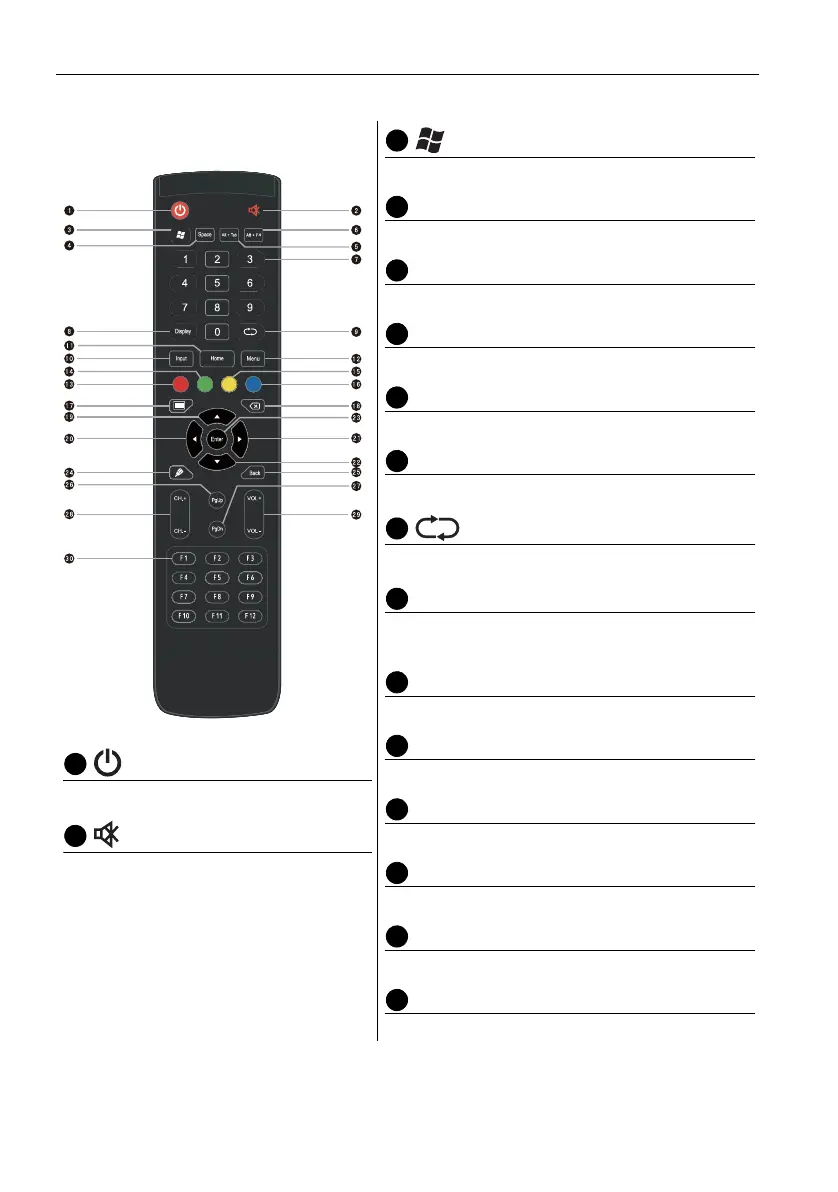
Remote control
Turn the display on or off.
Turn on or off the mute function.
Built-in computer Windows key.
Space
Built-in computer space key.
Alt+Tab
Built-in computer Alt+Tab key.
Alt+F4
Built-in computer program window close button.
Numeric buttons
Perform as numeric buttons.
Display
Show the current input source and information.
TV channel return key.
INPUT
Select the input source. Refer to Switching input
signals on page 26 for more information.
HOME
Android system main screen button.
MENU
Open or close the OSD menu.
Red button
Lock the keyboard and touch function.
Green button
No function.
Yellow button
No function.
Blue button
Freeze function.



 To Next Page