Basic operations32
Using the touch screen
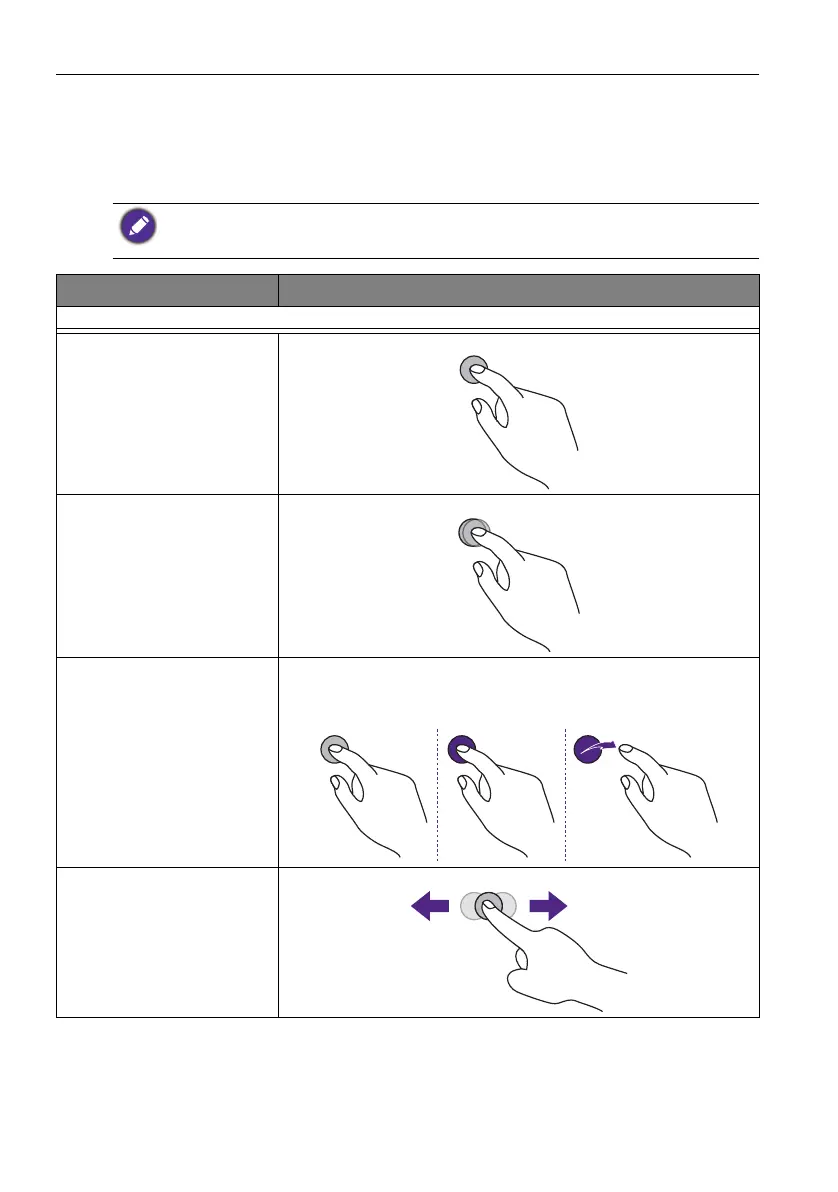
You can use the optical touch screen to control your operating system. The touch screen
can emulate basic mouse functions and supports multi-touch functions for Windows 10/
8/7/XP, Mac OS 10.11~10.14, Chrome OS 58, and Android. The following table shows a
list of gestures you can use on the touch screen.
• Ensure that you have installed the USB cable on the display to a computer.
• Windows is a registered trademark of Microsoft Corporation in the United States and other
countries.
OS functions Gesture actions
For Windows XP, Windows 7, Windows 8, and Windows 10
Click
Tap the screen once.
Double-click
Tap the screen twice.
Right-click
1. Press on the target.
2. Hold and wait for a blue ring to appear.
3. Release your finger.
Drag
Drag one finger left or right.



 To Next Page