Basic operations 33
For Windows 7, Windows 8, and Windows 10
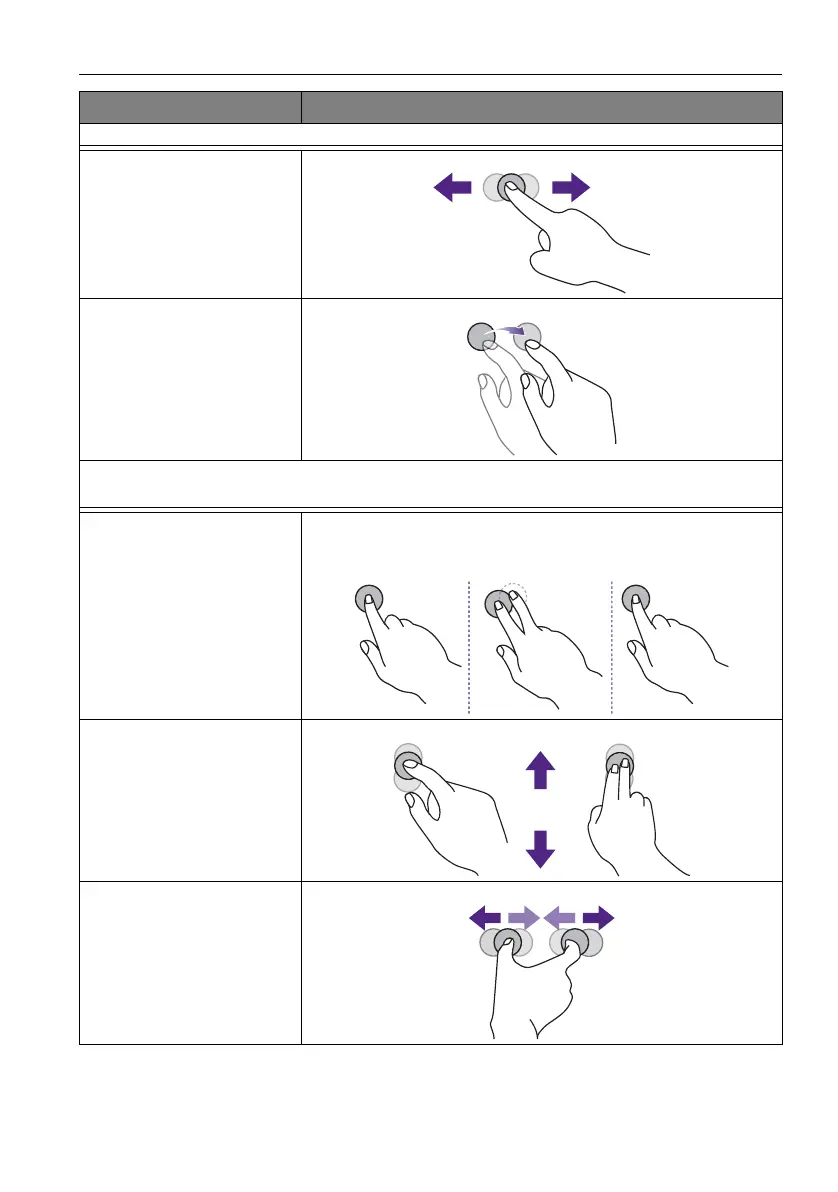
Selection
Drag one finger left or right.
Pan up / Pan down / Back /
Forward
Quickly drag your finger (Flick) in a desired direction.
Multi-touch functions
For Windows 7 - Home Premium, Professional, Enterprise and Ultimate versions
Right-click
1. Press on the target.
2. Tap the screen with another finger.
3. Release the second finger.
Scrolling
Drag one or two fingers up or down.
Zoom
Move two fingers apart or toward each other.
OS functions Gesture actions
or



 To Next Page