Parts of the display and their functions 13
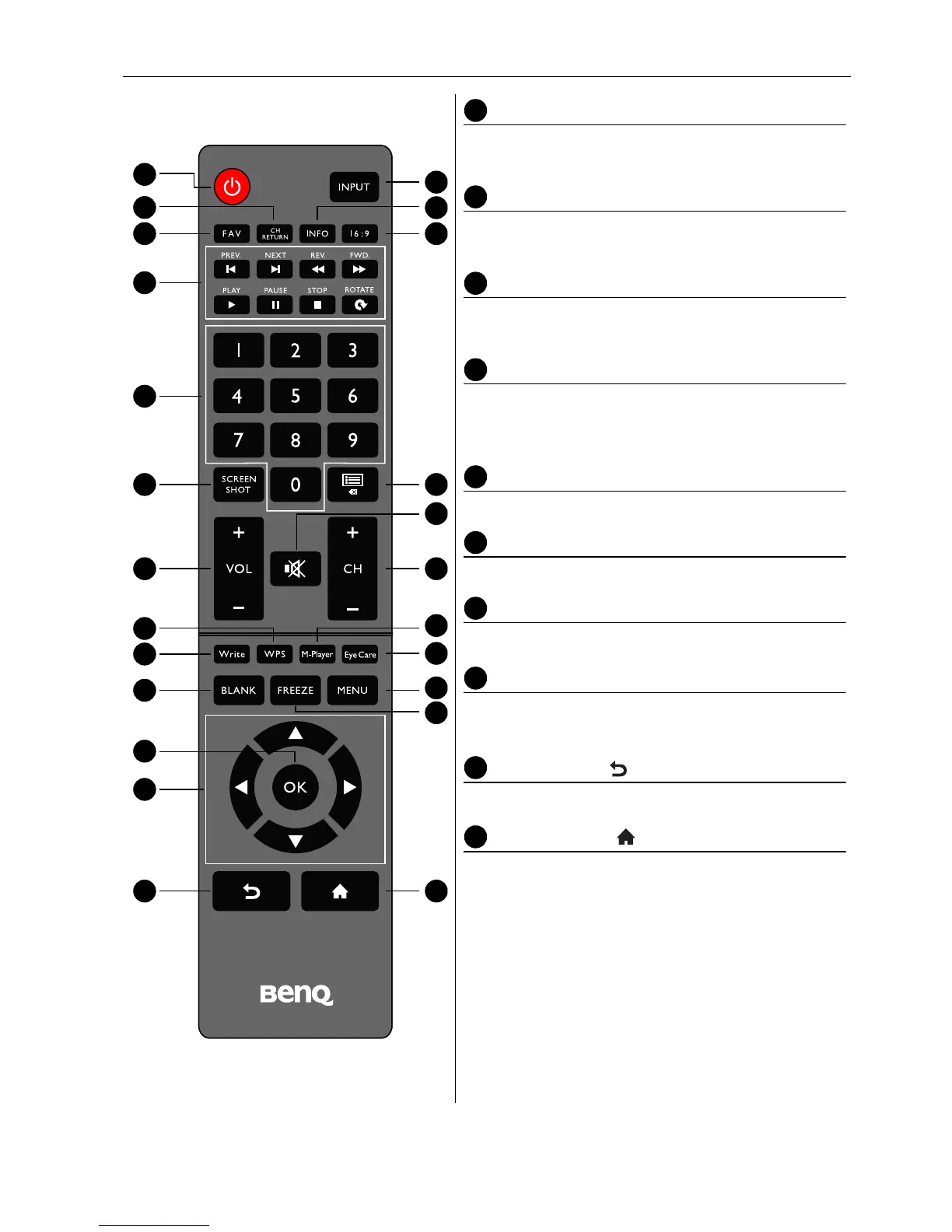
M-Player
Switches the system into Android OS, then opens
the Multimedia app.
Write
Switches the system into Android OS, then opens
the EZ Write 2.0 app.
Eye Care
Sets the display mode to Classroom mode. Refer
to Picture menu on page 32.
BLANK
Hides the image (the screen becomes blank) when
the OSD menu is off. Press again to resume
normal display.
MENU
Opens or closes the OSD menu.
FREEZE
Freezes the image when the OSD menu is off.
OK
Confirms your selection or save changes.
Cursor keys (///)
Scrolls through settings and options in the OSD
menu when the OSD menu is on.
Back button ( )
Returns to the previous page (in Android OS).
Home button ( )
Returns to the home screen (in Android OS).



 To Next Page