Menu operations32
More settings
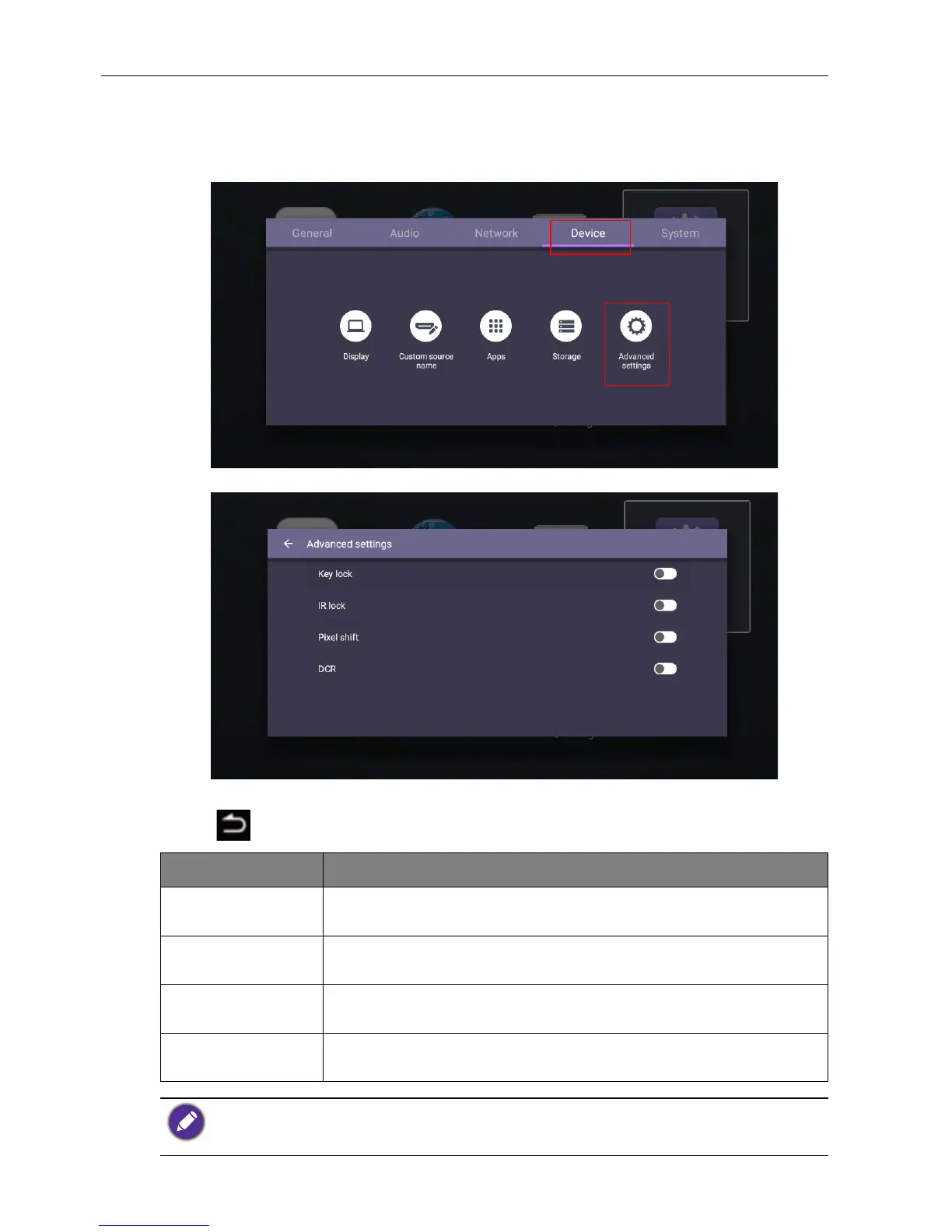
Advanced settings (Android system)
Go to Device > Advanced settings.
• Press /// on the remote control and press OK to confirm.
• Press on the remote control to exit the menu.
Menu Description
Key lock Press / and OK on the remote control to enable or disable
Key lock.
IR lock Press / and OK on the remote control to enable or disable
IR lock.
Pixel shift Press / and OK on the remote control to set a pixel shift
preventing from image retention.
DCR Press / and OK on the remote control to enable or disable
DCR.
• The Key lock and IR lock functions can be enabled at the same time.
• For image retention, please see Notes on the LCD panel of this display on page 2 for more
information.



 To Next Page