Menu operations 31
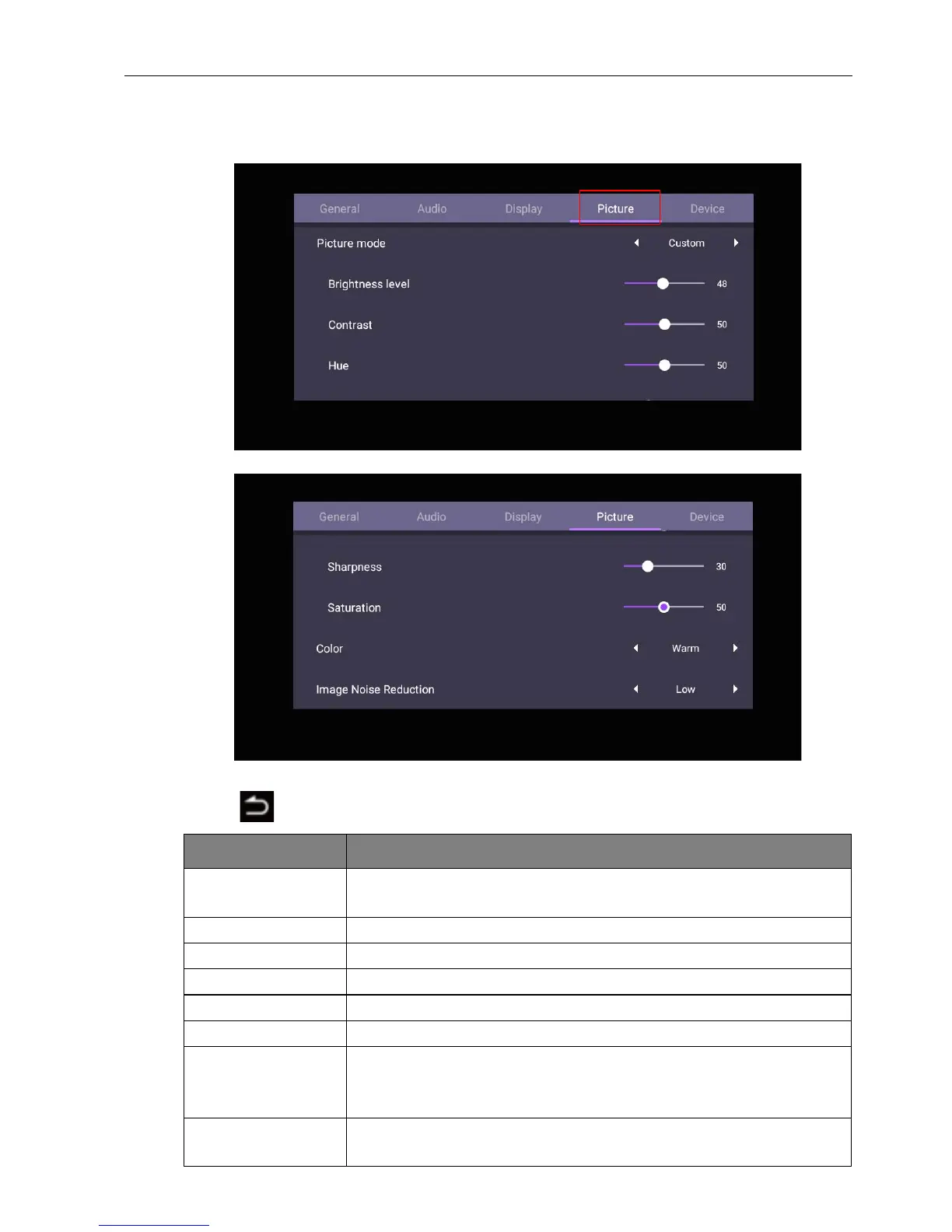
Picture settings
Leave the Android system and connect to other input sources like VGA or HDMI. Then
go to Picture.
• Press /// on the remote control and press OK to confirm.
• Press on the remote control to exit the menu.
Menu Description
Picture mode Press / on the remote control. Options are Custom,
Standard, Bright, Soft.
Brightness Press / on the remote control to adjust the brightness.
Contrast Press / on the remote control to adjust the contrast.
Hue Press / on the remote control to adjust the hue.
Sharpness Press / on the remote control to adjust the sharpness.
Saturation Press / on the remote control to adjust the saturation.
Color Press / on the remote control or click a preset color
temperature for the image. Options are Cool, Warm,
Standard.
Image Noise
Reduction
Press /on the remote control. Options are Off, Low,
Middle, High.



 To Next Page