10 Introduction
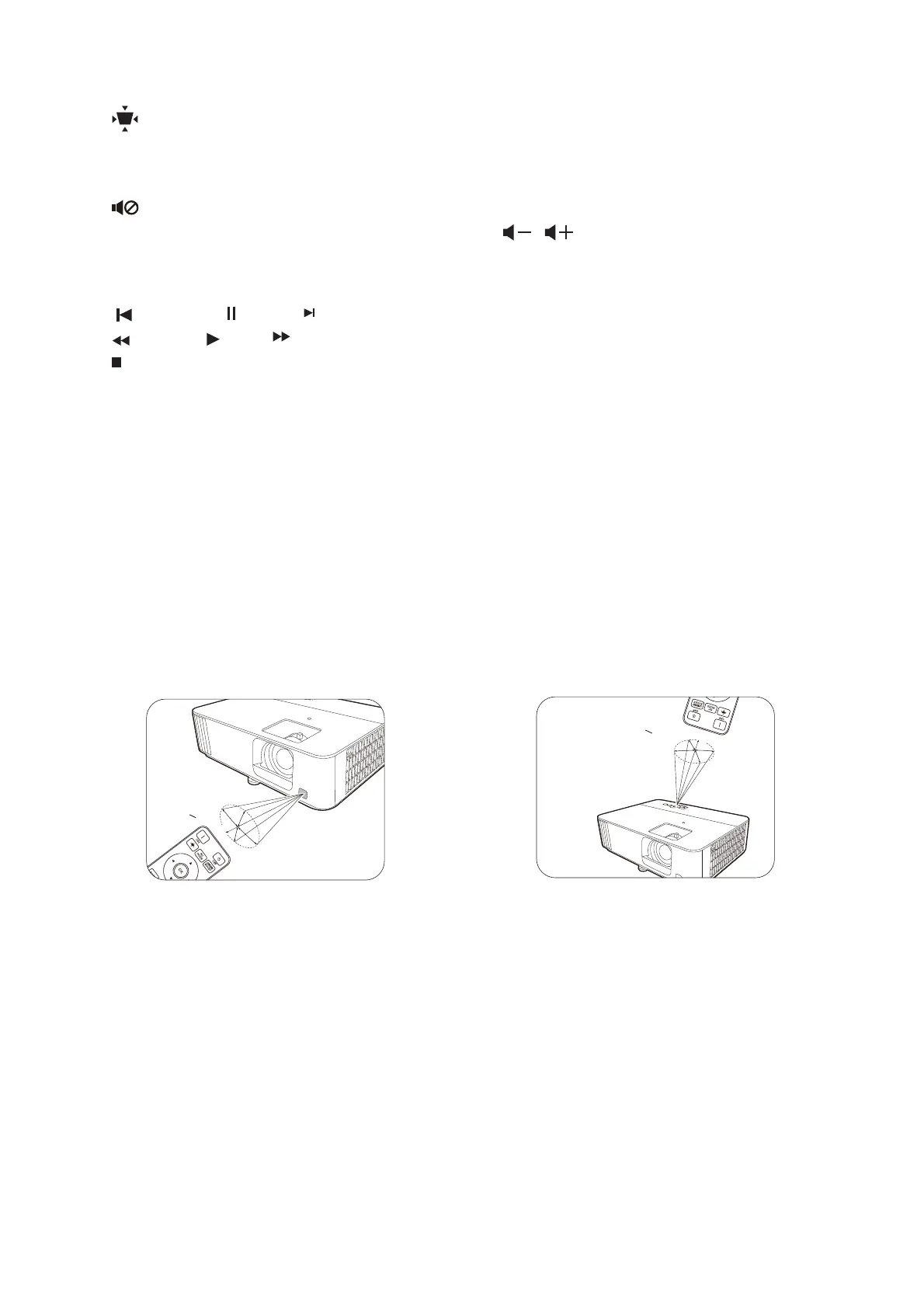
Remote control effective range
The remote control must be held at an angle within 30 degrees perpendicular to the projector's
IR remote control sensor(s) to function correctly. The distance between the remote control and
the sensor(s) should not exceed 8 meters (~ 26 feet).
Make sure that there are no obstacles between the remote control and the IR sensor(s) on the
projector that might obstruct the infra-red beam.
11. KEYSTONE
Displays the keystone menu. See
Correcting keystone on page 15 for details.
12. MUTE
Toggles projector audio between on and
off.
13. HDMI CEC-compatible device control keys
( Backward, Pause, Forward,
Rewind, Play, Fast forward,
Stop)
Controls video or audio playback for the
CEC-compatible device.
14. SOUND MODE
Selects an available sound mode.
15. LUMIEXPERT BOOST
Displays the LumiExpert menu.
16. / Volume keys
Decreases or increases the projector
volume.
• Operating the projector from the front • Operating the projector from the top



 To Next Page